Minecraft Launcher: Różnice pomiędzy wersjami
| [wersja nieprzejrzana] | [wersja nieprzejrzana] |
d →Zachowanie: Spolszczanie ma swoje granice... Nie można napisać "Javy" (Java to program a nie wyspa - jakbyśmy mówili o wyspie, to by musiało być "Jawy"), tylko "Java'y"! |
dNie podano opisu zmian |
||
| Linia 69: | Linia 69: | ||
<!--The anchor for the Version Control page. Please move this with the version control information or update that page if this one splits.--> | <!--The anchor for the Version Control page. Please move this with the version control information or update that page if this one splits.--> | ||
[https://docs.google.com/spreadsheet/lv?key=0AqgcHULYiwHYdGhhbkJybWh6amtIZzVGU3VaazUxc1E Progress] | === Wehikuł czasu === | ||
[[File:HowToAllowOldVersions.png|300px|thumb|Profil z aktywnymi wersjami Alpha i Beta]] | |||
1 sierpnia 2013 roku, launcher ''Minecrafta'' został zaktualizowany. Aktualizacja wprowadziła możliwość zagrania w stare wersje [[Alpha]] oraz [[Beta]]. Aktualnie dostępnymi do gry są wersje Alpha, Beta i wersje od 1.0.0 do {{v}}. Wersje [[Classic]], [[Indev]] oraz [[Infdev]] są oznaczone jako "old-alpha version".<ref>{{tweet|dinner|364762596387205120}}</ref> | |||
<!-- to potrzebne? [https://docs.google.com/spreadsheet/lv?key=0AqgcHULYiwHYdGhhbkJybWh6amtIZzVGU3VaazUxc1E Progress] --> | |||
Aby włączyć opcję grania na starych wersjach wystarczy kliknąć w "Edit Profile" lub stworzyć nowy profil (zalecane). W sekcji "Version Selection" zaznaczyć "Allow use of old Alpha/Beta minecraft versions". Te wybory będzie trzeba potwierdzić w oknie, które wyskoczy. Następnie należy wybrać wersję ''Minecrafta'' z rozwijanej listy "Use version" i zapisać profil. Po kliknięciu "Play" zostanie pobrana i uruchomiona wybrana wersja gry. | |||
Jednakże stare wersje mogą być bardzo niestabilne. Wszelkie błędy, zawieszanie się, brakujące elementy i inne usterki nie zostaną nigdy poprawione w tych wersjach. Mojang mocno zaleca, aby grać na tych wersjach w oddzielnych katalogach, aby uniknąć problemów z innymi zapisami światów. | |||
{{-}} | {{-}} | ||
=== | === Użycie z wiersza poleceń === | ||
MinecraftDev.jar ( | MinecraftDev.jar (wszystkie systemu): | ||
<blockquote> | <blockquote> | ||
<code><nowiki>java -cp Minecraft.jar net.minecraft.bootstrap.Bootstrap < | <code><nowiki>java -cp Minecraft.jar net.minecraft.bootstrap.Bootstrap <nazwa użytkownika> <serwer:port></nowiki></code> | ||
</blockquote> | </blockquote> | ||
Wersja 1.6 launchera wprowadziła kilka nowych poleceń. Aby je wyświetlić, należy wpisać: | |||
<blockquote> | <blockquote> | ||
| Linia 97: | Linia 96: | ||
{{-}} | {{-}} | ||
<!-- PONIŻEJ NALEŻY PRZETŁUMACZYĆ!!!!! | |||
== | == Historia == | ||
{| class="collapsible wikitable" style="width: 100%" | {| class="collapsible wikitable" style="width: 100%" | ||
|- | |- | ||
! scope="col" style="width: 160px;" | | ! scope="col" style="width: 160px;" | Wersja launchera | ||
! scope="col" style="width: 120px;" | | ! scope="col" style="width: 120px;" | Data wydania | ||
! scope="col" | | ! scope="col" | Podsumowanie zmian | ||
|- | |- | ||
| 1.3.6 | | 1.3.6 | ||
| | | 5 grudnia 2013 | ||
| | | | ||
* | *Launcher zaktualizowany do 1.3.6 | ||
*Unknown | *Unknown | ||
|- | |- | ||
| 1.3.5 | | 1.3.5 | ||
| | | 4 grudnia 2013 | ||
| | | | ||
* | *Launcher zaktualizowany do 1.3.5 | ||
* | * Poprawiony folder assets dla nowego Assets Managment System <!-- nazwa własna? o.o --><ref>https://twitter.com/Dinnerbone/status/408246271921901568</ref> | ||
|- | |- | ||
| 1.3.4 | | 1.3.4 | ||
| | | 26 listopada 2013 | ||
| | | | ||
* | *Launcher zaktualizowany do 1.3.4 | ||
* | *Szybsze pobieranie niektórych większych plików.<ref>{{tweet|dinner|405366855785021440}}</ref> | ||
|- | |- | ||
| 1.3.3 | | 1.3.3 | ||
| | | 20 listopada 2013 | ||
| | | | ||
* | *Launcher zaktualizowany do 1.3.3 | ||
*( | *(Możliwe) {{tłumacz|Bridging of Mojang and Twitch accounts.}}<ref>{{tweet|dinner|403111179859812352}}</ref> | ||
|- | |- | ||
| 1.3.2 | | 1.3.2 | ||
| November 18, 2013 | | November 18, 2013 | ||
| | | | ||
* | *Launcher zaktualizowany do 1.3.2 | ||
*Added time it took to finish jobs. | *Added time it took to finish jobs. | ||
*Faster resource downloading.<ref>{{tweet|dinner|402434001451098112}}</ref> | *Faster resource downloading.<ref>{{tweet|dinner|402434001451098112}}</ref> | ||
| Linia 139: | Linia 138: | ||
| October 29, 2013 | | October 29, 2013 | ||
| | | | ||
* | *Launcher zaktualizowany do 1.3.1 | ||
*Speed improvements | *Speed improvements | ||
*Basic read-only popup on version list tab | *Basic read-only popup on version list tab | ||
| Linia 147: | Linia 146: | ||
| October 25, 2013{{cn}} | | October 25, 2013{{cn}} | ||
| | | | ||
* | *Launcher zaktualizowany do 1.2.8 | ||
*Unknown | *Unknown | ||
|- | |- | ||
| Linia 153: | Linia 152: | ||
| October 18, 2013 | | October 18, 2013 | ||
| | | | ||
* | *Launcher zaktualizowany do 1.2.7 | ||
*Added an open game directory button in the profile editor. | *Added an open game directory button in the profile editor. | ||
|- | |- | ||
| Linia 159: | Linia 158: | ||
| October 17, 2013 | | October 17, 2013 | ||
| | | | ||
* | *Launcher zaktualizowany do 1.2.6 | ||
*Unknown | *Unknown | ||
|- | |- | ||
| Linia 165: | Linia 164: | ||
| September 23, 2013 | | September 23, 2013 | ||
| | | | ||
* | *Launcher zaktualizowany do 1.2.5 | ||
*No longer displays the developer console automatically after clicking "Play".{{cn}} | *No longer displays the developer console automatically after clicking "Play".{{cn}} | ||
|- | |- | ||
| Linia 171: | Linia 170: | ||
| September 19, 2013 | | September 19, 2013 | ||
| | | | ||
* | *Launcher zaktualizowany do 1.2.4 | ||
*Unknown | *Unknown | ||
|- | |- | ||
| Linia 177: | Linia 176: | ||
| September 12, 2013 | | September 12, 2013 | ||
| | | | ||
* | *Launcher zaktualizowany do 1.2.3 | ||
*You can now log out from everywhere with the launcher ({{bug|MCL-1270}}) | *You can now log out from everywhere with the launcher ({{bug|MCL-1270}}) | ||
|- | |- | ||
| Linia 183: | Linia 182: | ||
| September 3, 2013 | | September 3, 2013 | ||
| | | | ||
* | *Launcher zaktualizowany do 1.2.2 | ||
*Fixed a bug ({{bug|MCL-1461}}) that made the launcher take a long time to load up. | *Fixed a bug ({{bug|MCL-1461}}) that made the launcher take a long time to load up. | ||
|- | |- | ||
| Linia 199: | Linia 198: | ||
| August 2, 2013 | | August 2, 2013 | ||
| | | | ||
* | *Launcher zaktualizowany do 1.2.1 | ||
*Added a warning about using [[Beta]], [[Alpha]], and snapshot versions | *Added a warning about using [[Beta]], [[Alpha]], and snapshot versions | ||
|- | |- | ||
| Linia 205: | Linia 204: | ||
| August 1, 2013 | | August 1, 2013 | ||
| | | | ||
* | *Launcher zaktualizowany do 1.2 | ||
*Added a "Time Machine" feature to use [[Beta]] versions. | *Added a "Time Machine" feature to use [[Beta]] versions. | ||
**An option for [[Alpha]] has been included but the versions are not available yet. | **An option for [[Alpha]] has been included but the versions are not available yet. | ||
| Linia 213: | Linia 212: | ||
| July 31, 2013 | | July 31, 2013 | ||
| | | | ||
* | *Launcher zaktualizowany do 1.1.4 | ||
*Some small text updates | *Some small text updates | ||
|- | |- | ||
| Linia 219: | Linia 218: | ||
| July 27, 2013 | | July 27, 2013 | ||
| | | | ||
* | *Launcher zaktualizowany do 1.1.3 | ||
*Fixed low FPS issues on Intel HDXXXX chipsets. | *Fixed low FPS issues on Intel HDXXXX chipsets. | ||
|- | |- | ||
| Linia 225: | Linia 224: | ||
| July 22, 2013 | | July 22, 2013 | ||
| | | | ||
* | *Launcher zaktualizowany do 1.1.2 | ||
*Fixed {{bug|MCL-1241}} | *Fixed {{bug|MCL-1241}} | ||
|- | |- | ||
| Linia 231: | Linia 230: | ||
| July 19, 2013 | | July 19, 2013 | ||
| | | | ||
* | *Launcher zaktualizowany do 1.1.1 | ||
*New-look launcher and login screen | *New-look launcher and login screen | ||
*Launcher now closes automatically when game window opens | *Launcher now closes automatically when game window opens | ||
| Linia 238: | Linia 237: | ||
| July 12, 2013 | | July 12, 2013 | ||
| | | | ||
* | *Launcher zaktualizowany do 1.0.10 | ||
* Further support for Hopper | * Further support for Hopper | ||
** Client crashes can be flagged as Public | ** Client crashes can be flagged as Public | ||
| Linia 249: | Linia 248: | ||
| July 10, 2013 | | July 10, 2013 | ||
| | | | ||
* | *Launcher zaktualizowany do 1.0.9 | ||
* Added support for the new crash-reporting system, Hopper<ref>http://hopper.minecraft.net/</ref> | * Added support for the new crash-reporting system, Hopper<ref>http://hopper.minecraft.net/</ref> | ||
** Any client crash will automatically submit the crash report | ** Any client crash will automatically submit the crash report | ||
| Linia 267: | Linia 266: | ||
| July 02, 2013 | | July 02, 2013 | ||
| | | | ||
* | *Launcher zaktualizowany do 1.0.8 | ||
*The launcher now has a high-definition icon{{cn}} | *The launcher now has a high-definition icon{{cn}} | ||
*Mac OS X 10.5.8 users have had ''Minecraft'' 1.6.1 disabled pending a LWJGL fix, however 1.5.2 is not affected<ref>{{tweet|dinner|352109843731070976}}</ref> | *Mac OS X 10.5.8 users have had ''Minecraft'' 1.6.1 disabled pending a LWJGL fix, however 1.5.2 is not affected<ref>{{tweet|dinner|352109843731070976}}</ref> | ||
| Linia 274: | Linia 273: | ||
| July 02, 2013 | | July 02, 2013 | ||
| | | | ||
* | *Launcher zaktualizowany do 1.0.7 | ||
*Added ability to disable automatic login<ref>{{bug|MCL-590}}</ref> | *Added ability to disable automatic login<ref>{{bug|MCL-590}}</ref> | ||
|- | |- | ||
| Linia 280: | Linia 279: | ||
| July 01, 2013 | | July 01, 2013 | ||
| | | | ||
* | *Launcher zaktualizowany do 1.0.6 | ||
{|class="collapsible collapse-button-none" | {|class="collapsible collapse-button-none" | ||
! style="text-align: left" | [https://mojang.atlassian.net/issues/?jql=project%20%3D%20MCL%20AND%20fixVersion%3D%221.0.6%22 Bug fixes]: | ! style="text-align: left" | [https://mojang.atlassian.net/issues/?jql=project%20%3D%20MCL%20AND%20fixVersion%3D%221.0.6%22 Bug fixes]: | ||
| Linia 297: | Linia 296: | ||
| July 01, 2013 | | July 01, 2013 | ||
| | | | ||
* | *Launcher zaktualizowany do 1.0.5 | ||
*Added a 'snapshot' setting in the profile editor, enabling/disabling snapshots. | *Added a 'snapshot' setting in the profile editor, enabling/disabling snapshots. | ||
*'Minecraft.exe'(launcher) has been digitally signed. ({{bug|MCL-546}}) | *'Minecraft.exe'(launcher) has been digitally signed. ({{bug|MCL-546}}) | ||
| Linia 305: | Linia 304: | ||
| June 28, 2013 | | June 28, 2013 | ||
| | | | ||
* | *Launcher zaktualizowany do 1.0.4 | ||
*Added a 'resolution' setting in the profile editor. | *Added a 'resolution' setting in the profile editor. | ||
| Linia 312: | Linia 311: | ||
| June 27, 2013 | | June 27, 2013 | ||
| | | | ||
* | *Launcher zaktualizowany do 1.0.3 | ||
{|class="collapsible collapse-button-none" | {|class="collapsible collapse-button-none" | ||
! style="text-align: left" | [https://mojang.atlassian.net/issues/?jql=project%20%3D%20MCL%20AND%20fixVersion%20%3D%20%221.0.3%22 Bug fixes]: | ! style="text-align: left" | [https://mojang.atlassian.net/issues/?jql=project%20%3D%20MCL%20AND%20fixVersion%20%3D%20%221.0.3%22 Bug fixes]: | ||
| Linia 325: | Linia 324: | ||
| June 27, 2013 | | June 27, 2013 | ||
| | | | ||
* | *Launcher zaktualizowany do 1.0.2 | ||
|- | |- | ||
| 1.0.1 | | 1.0.1 | ||
| June 26, 2013 | | June 26, 2013 | ||
| | | | ||
* | *Launcher zaktualizowany do 1.0.1 | ||
*Yggdrasil authentication re-deployed | *Yggdrasil authentication re-deployed | ||
** Fixed: {{bug|MCL-568}} – Migrated Account - Can't login in 1.6 prerelease on 1.0.1 launcher | ** Fixed: {{bug|MCL-568}} – Migrated Account - Can't login in 1.6 prerelease on 1.0.1 launcher | ||
| Linia 338: | Linia 337: | ||
| June 26, 2013 | | June 26, 2013 | ||
| | | | ||
* | *Launcher Downgraded to 1.0.0 | ||
*Disabled Yggdrasil because of login error | *Disabled Yggdrasil because of login error | ||
| Linia 345: | Linia 344: | ||
| June 26, 2013 | | June 26, 2013 | ||
| | | | ||
* | *Launcher zaktualizowany do 1.0.1 | ||
*Enabled Yggdrasil, The new auth system | *Enabled Yggdrasil, The new auth system | ||
**More secure and much more featureful. | **More secure and much more featureful. | ||
| Linia 359: | Linia 358: | ||
| June 18, 2013 | | June 18, 2013 | ||
| | | | ||
* | *Launcher zaktualizowany do 0.9.5 | ||
|- | |- | ||
| Linia 365: | Linia 364: | ||
| June 18, 2013 | | June 18, 2013 | ||
| | | | ||
*Launcher | *Launcher zaktualizowany do 0.9.4 | ||
**Added "New Profile" and "Edit Profile" Buttons to the profile selection panel | **Added "New Profile" and "Edit Profile" Buttons to the profile selection panel | ||
| Linia 382: | Linia 381: | ||
| June 10, 2013 | | June 10, 2013 | ||
| | | | ||
* | *Launcher zaktualizowany do 0.9.1 | ||
** Fixed: {{Bug|MCL-412}} – OS X: Exception in thread "main" java.lang.NoClassDefFoundError: net/minecraft/client/main/Main | ** Fixed: {{Bug|MCL-412}} – OS X: Exception in thread "main" java.lang.NoClassDefFoundError: net/minecraft/client/main/Main | ||
| Linia 389: | Linia 388: | ||
| June 10, 2013 | | June 10, 2013 | ||
| | | | ||
* | *Launcher zaktualizowany do 0.9 | ||
** Now includes a Profile Editor tab. | ** Now includes a Profile Editor tab. | ||
*** Choosing the game's version can only be done by double clicking your profile and changing the version in the drop down list. | *** Choosing the game's version can only be done by double clicking your profile and changing the version in the drop down list. | ||
| Linia 407: | Linia 406: | ||
| May 21, 2013 | | May 21, 2013 | ||
| | | | ||
* | *Launcher zaktualizowany do 0.8.1 | ||
**Client window now uses [[Crafting Table]] icon for main window when a snapshot build is selected; Launcher window still uses [[Grass Block]] icon | **Client window now uses [[Crafting Table]] icon for main window when a snapshot build is selected; Launcher window still uses [[Grass Block]] icon | ||
***Selecting release builds on Windows currently uses the basic Java icon | ***Selecting release builds on Windows currently uses the basic Java icon | ||
| Linia 415: | Linia 414: | ||
| May 20, 2013 | | May 20, 2013 | ||
| | | | ||
* | *Launcher zaktualizowany do 0.8 | ||
|- | |- | ||
| Linia 421: | Linia 420: | ||
| May 15, 2013 | | May 15, 2013 | ||
| | | | ||
* | *Launcher zaktualizowany do 0.7.2 | ||
|- | |- | ||
| Linia 427: | Linia 426: | ||
| May 13, 2013 | | May 13, 2013 | ||
| | | | ||
* | *Launcher downgraded to 0.7 | ||
|- | |- | ||
| Linia 433: | Linia 432: | ||
| May 4, 2013 | | May 4, 2013 | ||
| | | | ||
* | *Launcher zaktualizowany do 0.7.1 | ||
|- | |- | ||
| Linia 449: | Linia 448: | ||
| April 23, 2013 | | April 23, 2013 | ||
| | | | ||
* Added 1.5.1 to the list of available versions in the | * Added 1.5.1 to the list of available versions in the Launcher | ||
|- | |- | ||
| Linia 462: | Linia 461: | ||
| April 22, 2013 | | April 22, 2013 | ||
| | | | ||
* Added ''Local Version Editor (NYI)'' tab to the | * Added ''Local Version Editor (NYI)'' tab to the Launcher | ||
* Added window to check server status | * Added window to check server status | ||
* Small bug fixes | * Small bug fixes | ||
| Linia 470: | Linia 469: | ||
| April 19, 2013 | | April 19, 2013 | ||
| | | | ||
* Added ''Development Console'' tab to the | * Added ''Development Console'' tab to the Launcher | ||
* Fixed starting game trouble | * Fixed starting game trouble | ||
Wersja z 14:23, 9 gru 2013
Minecraft launcher (program uruchamiający grę Minecraft) to program umożliwiający logowanie się do gry oraz jej pobieranie.
Zachowanie
Podczas każdego uruchamiania launchera, sprawdzany jest konkretny folder (.minecraft), gdzie przechowywane są pliki gry. Sprawdza również plik o nazwie "launcher_profiles.json" w celu sprawdzenia poświadczeń logowania. Gdy nie istnieje, jest uszkodzony lub żaden użytkownik nie jest zalogowany, należy zalogować się poprawnymi danymi do konta premium. W innym wypadku gra nie uruchomi się.
Podczas logowania, launcher w pierwszej kolejności stara się zweryfikować dane logowania. Jeśli istnieje poprawny plik "launcher_profiles.json", a nie ma połączenia internetowego, program zaoferuje możliwość grania w trybie offline - "Play offline", kiedy ostatnim razem gracz był zalogowany z dostępem do internetu.
Kiedy dostępne jest połączenie, launcher, w zależności od ustawień profilu, sprawdza dostępność aktualizacji. Jeśli zaznaczona w ustawieniach wersja nie istnieje, bądź ostatnia najnowsza zainstalowana wersja jest przestarzała (w przypadku zaznaczenia w profilu "Use latest version"), launcher pobierze wszystkie komponenty Minecrafta oraz pliki binarne Java'y. Synchronizuje również wszystko w folderze Assets (p. Paczki zasobów).
Ostatecznie, po pomyślnym pobraniu lub zainstalowaniu, launcher uruchomi "minecraft.jar" (poprzez "javaw.exe" w przypadku systemu Windows). Jeśli plik nie istnieje, zostanie automatycznie pobrany, lub zatrzyma się, kiedy nie będzie połączenia.
Aktualnie launcher wspiera tylko język angielski. Użytkownicy póki co nie mogą wybrać preferowanego języka.
Użycie z wiersza poleceń
minecraft.jar (wszystkie systemy):
java -cp minecraft.jar net.minecraft.LauncherFrame <nazwa użytkownika> <hasło> <serwer:port>
minecraft.exe (tylko Windows):
minecraft.exe <nazwa użytkownika> <hasło> <serwer:port>
minecraft.jar (tylko Windows - bez okna CMD):
javaw -cp minecraft.jar net.minecraft.LauncherFrame <nazwa użytkownika> <hasło> <serwer:port>
Wraz z nową wersją launchera wydaną z Minecraft 1.2.3, nazwę użytkownika i hasło należy używać z prefiksem.
--username=<nazwa użytkownika> lub -u=<nazwa użytkownika>
--password=<hasło> lub -p=<hasło>
Jeśli używasz serwer:port to musi to być jako trzecia opcja. Jeśli nie jest używane wraz z nazwą użytkownika i hasłem, ich miejsce musi zostać zastąpione pustymi danymi.
Opcja bez aktualizacji.
--noupdate
Launcher 1.6
Nowa wersja launchera została opublikowana 18 kwietnia 2013 (wraz ze snapshotem 13w16a). Pozwala graczom wybierać wersję gry w którą chcą grać, pobiera wszystkie zasoby przed wystartowaniem gry oraz aktualizuje najnowsze dodatkowe biblioteki (ta funkcja wcześniej była niedostępna). Później launcher został bardziej rozbudowany. Wersja demo jest dostępna dla graczy non-premium po udanym zalogowaniu. Launcher aktualizuje się sam; aktualna wersja launchera to 1.3.6.
Funkcje
- Posiadanie nieskończonej ilości profili. Każdy profil może być edytowany:
- Zmiana wersji gry. Launcher posiada możliwość pobrania z serwera developerskich wersji oraz oficjalnych starych wersji. Jest również możliwość dodania manualnie starszej wersji.[1]
- Konta Mojang używane do logowania
- Linia argumentów języka java (np. zwiększenie ilości przeznaczanej pamięci na grę)
- Foldery gry (gdzie pliki gry są zapisywane na dysku)
- Launcher nie zapisuje hasła na komputerze. Zamiast tego, używa 'odświeżania tokenu'.
- Launcher automatycznie się aktualizuje.
- Możliwość aktualizacji bibliotek, takich jak LWJGL.
- Tryb offline. (Za pierwszym razem launcher potrzebuje połączania internetowego w celu pobrania wymaganych zasobów gry)
- Aktualnie dostępny tylko w języku angielskim.
- Wszystkie crashe (błędy krytyczne, po których gra jest zamykana) gry są raportowane do Mojang, dzięki programowi do zgłaszania błędów "Hopper".
- Crashe są teraz przeszukiwane w bazie danych w celu wyświetlenia informacji jak naprawić dany błąd.
Wehikuł czasu
1 sierpnia 2013 roku, launcher Minecrafta został zaktualizowany. Aktualizacja wprowadziła możliwość zagrania w stare wersje Alpha oraz Beta. Aktualnie dostępnymi do gry są wersje Alpha, Beta i wersje od 1.0.0 do 26.3. Wersje Classic, Indev oraz Infdev są oznaczone jako "old-alpha version".[2]
Aby włączyć opcję grania na starych wersjach wystarczy kliknąć w "Edit Profile" lub stworzyć nowy profil (zalecane). W sekcji "Version Selection" zaznaczyć "Allow use of old Alpha/Beta minecraft versions". Te wybory będzie trzeba potwierdzić w oknie, które wyskoczy. Następnie należy wybrać wersję Minecrafta z rozwijanej listy "Use version" i zapisać profil. Po kliknięciu "Play" zostanie pobrana i uruchomiona wybrana wersja gry.
Jednakże stare wersje mogą być bardzo niestabilne. Wszelkie błędy, zawieszanie się, brakujące elementy i inne usterki nie zostaną nigdy poprawione w tych wersjach. Mojang mocno zaleca, aby grać na tych wersjach w oddzielnych katalogach, aby uniknąć problemów z innymi zapisami światów.
Użycie z wiersza poleceń
MinecraftDev.jar (wszystkie systemu):
java -cp Minecraft.jar net.minecraft.bootstrap.Bootstrap <nazwa użytkownika> <serwer:port>
Wersja 1.6 launchera wprowadziła kilka nowych poleceń. Aby je wyświetlić, należy wpisać:
java -jar Minecraft.jar -help
[3] |-
| 1.3.4
| 26 listopada 2013
|
- Launcher zaktualizowany do 1.3.4
- Szybsze pobieranie niektórych większych plików.[4]
|-
| 1.3.3
| 20 listopada 2013
|
- Launcher zaktualizowany do 1.3.3
- (Możliwe) Bridging of Mojang and Twitch accounts.[wymagane tłumaczenie] [5]
|-
| 1.3.2
| November 18, 2013
|
- Launcher zaktualizowany do 1.3.2
- Added time it took to finish jobs.
- Faster resource downloading.[6]
|-
| 1.3.1
| October 29, 2013
|
- Launcher zaktualizowany do 1.3.1
- Speed improvements
- Basic read-only popup on version list tab
- Misc fixes and cleanups
|-
| 1.2.8
| October 25, 2013[wymagane źródło]
|
- Launcher zaktualizowany do 1.2.8
- Unknown
|-
| 1.2.7[wymagane źródło]
| October 18, 2013
|
- Launcher zaktualizowany do 1.2.7
- Added an open game directory button in the profile editor.
|-
| 1.2.6[wymagane źródło]
| October 17, 2013
|
- Launcher zaktualizowany do 1.2.6
- Unknown
|-
| 1.2.5[wymagane źródło]
| September 23, 2013
|
- Launcher zaktualizowany do 1.2.5
- No longer displays the developer console automatically after clicking "Play".[wymagane źródło]
|-
| 1.2.4[wymagane źródło]
| September 19, 2013
|
- Launcher zaktualizowany do 1.2.4
- Unknown
|-
| 1.2.3[7]
| September 12, 2013
|
- Launcher zaktualizowany do 1.2.3
- You can now log out from everywhere with the launcher (MCL-1270)
|-
| 1.2.2[8]
| September 3, 2013
|
- Launcher zaktualizowany do 1.2.2
- Fixed a bug (MCL-1461) that made the launcher take a long time to load up.
|-
| 1.2.1 (Files uploaded)[9]
| August 6, 2013
|
- 5 old Minecraft versions from Classic and Pre-classic have been pushed to the launcher.
|-
| 1.2.1 (Files uploaded)[10][11]
| August 6, 2013
|
- Added Alpha versions
|-
| 1.2.1
| August 2, 2013
|
|-
| 1.2
| August 1, 2013
|
- Launcher zaktualizowany do 1.2
- Added a "Time Machine" feature to use Beta versions.
- An option for Alpha has been included but the versions are not available yet.
- Also allows players to play versions 1.2.5-1.4.7
|-
| 1.1.4
| July 31, 2013
|
- Launcher zaktualizowany do 1.1.4
- Some small text updates
|-
| 1.1.3[12]
| July 27, 2013
|
- Launcher zaktualizowany do 1.1.3
- Fixed low FPS issues on Intel HDXXXX chipsets.
|-
| 1.1.2
| July 22, 2013
|
- Launcher zaktualizowany do 1.1.2
- Fixed MCL-1241
|-
| 1.1.1
| July 19, 2013
|
- Launcher zaktualizowany do 1.1.1
- New-look launcher and login screen
- Launcher now closes automatically when game window opens
|-
| 1.0.10
| July 12, 2013
|
- Launcher zaktualizowany do 1.0.10
- Further support for Hopper
- Client crashes can be flagged as Public
- Nothing is currently done with these
- Profiles have the option to disable Hopper support
- Reporting directly to the bug tracker is only allowed if Hopper is turned off or the launcher can't connect to Hopper
- Hopper will not send crash report to bug tracker if the game is modded
- Client crashes can be flagged as Public
|-
| 1.0.9
| July 10, 2013
|
- Launcher zaktualizowany do 1.0.9
- Added support for the new crash-reporting system, Hopper[13]
- Any client crash will automatically submit the crash report
|-
| 1.0.8 OS X (Re-upload) [14]
| July 9, 2013
|
- Fixes to the launcher having trouble playing 1.6.2 on OS X 10.5.8 (Leopard)
|-
| 1.0.8 OS X (Re-upload) [15]
| July 8, 2013
|
- Fixes to the launcher having trouble playing 1.6.2 on OS X 10.5.8 (Leopard)
|-
| 1.0.8
| July 02, 2013
|
- Launcher zaktualizowany do 1.0.8
- The launcher now has a high-definition icon[wymagane źródło]
- Mac OS X 10.5.8 users have had Minecraft 1.6.1 disabled pending a LWJGL fix, however 1.5.2 is not affected[16]
|-
| 1.0.7
| July 02, 2013
|
- Launcher zaktualizowany do 1.0.7
- Added ability to disable automatic login[17]
|-
| 1.0.6
| July 01, 2013
|
- Launcher zaktualizowany do 1.0.6
| Bug fixes: |
|---|
|
|-
| 1.0.5
| July 01, 2013
|
- Launcher zaktualizowany do 1.0.5
- Added a 'snapshot' setting in the profile editor, enabling/disabling snapshots.
- 'Minecraft.exe'(launcher) has been digitally signed. (MCL-546)
|-
| 1.0.4
| June 28, 2013
|
- Launcher zaktualizowany do 1.0.4
- Added a 'resolution' setting in the profile editor.
|-
| 1.0.3
| June 27, 2013
|
- Launcher zaktualizowany do 1.0.3
| Bug fixes: |
|---|
|-
| 1.0.2
| June 27, 2013
|
- Launcher zaktualizowany do 1.0.2
|-
| 1.0.1
| June 26, 2013
|
- Launcher zaktualizowany do 1.0.1
- Yggdrasil authentication re-deployed
- Fixed: MCL-568 – Migrated Account - Can't login in 1.6 prerelease on 1.0.1 launcher
|-
| 1.0.0
| June 26, 2013
|
- Launcher Downgraded to 1.0.0
- Disabled Yggdrasil because of login error
|-
| 1.0.1
| June 26, 2013
|
- Launcher zaktualizowany do 1.0.1
- Enabled Yggdrasil, The new auth system
- More secure and much more featureful.
|-
| 1.0
| June 25, 2013
|
|-
|0.9.5
| June 18, 2013
|
- Launcher zaktualizowany do 0.9.5
|-
|0.9.4
| June 18, 2013
|
- Launcher zaktualizowany do 0.9.4
- Added "New Profile" and "Edit Profile" Buttons to the profile selection panel
|-
|0.9.3
| June 14, 2013
|
|-
|0.9.2
| June 13, 2013
|
|-
|0.9.1
| June 10, 2013
|
- Launcher zaktualizowany do 0.9.1
- Fixed: MCL-412 – OS X: Exception in thread "main" java.lang.NoClassDefFoundError: net/minecraft/client/main/Main
|-
|0.9
| June 10, 2013
|
- Launcher zaktualizowany do 0.9
- Now includes a Profile Editor tab.
- Choosing the game's version can only be done by double clicking your profile and changing the version in the drop down list.
- Changes to the Version Selector area.
- Now includes a Profile Editor tab.
|- |0.8.3 |June 7, 2013 |
|-
|0.8.2
|May 27, 2013
|
|-
|0.8.1
| May 21, 2013
|
- Launcher zaktualizowany do 0.8.1
- Client window now uses Crafting Table icon for main window when a snapshot build is selected; Launcher window still uses Grass Block icon
- Selecting release builds on Windows currently uses the basic Java icon
- Client window now uses Crafting Table icon for main window when a snapshot build is selected; Launcher window still uses Grass Block icon
|-
|0.8
| May 20, 2013
|
- Launcher zaktualizowany do 0.8
|-
|0.7.2
| May 15, 2013
|
- Launcher zaktualizowany do 0.7.2
|-
|0.7
| May 13, 2013
|
- Launcher downgraded to 0.7
|-
|0.7.1
| May 4, 2013
|
- Launcher zaktualizowany do 0.7.1
|-
|0.7
| May 2, 2013
|
|-
|0.6
| April 25, 2013
|
|-
|0.5
| April 23, 2013
|
- Added 1.5.1 to the list of available versions in the Launcher
|-
|0.4
| April 23, 2013
|
- Re-enabled crash reporting
|-
|0.3
| April 22, 2013
|
- Added Local Version Editor (NYI) tab to the Launcher
- Added window to check server status
- Small bug fixes
|-
|0.2
| April 19, 2013
|
- Added Development Console tab to the Launcher
- Fixed starting game trouble
|-
|0.1
| April 18, 2013
|* .minecraft directory structure is changed:
- "assets" folder; stores resources such as language packs and sounds.
- All music discs now use .ogg format instead of .mus format.
- "library" folder; stores Java libraries such as LWJGL and jinput.jar.
- "versions" folder; there are file "versions.json" (meta data) and folders that stores minecraft.jar for each versions (but its name is same as its version. e.g. for 13w16a, "versions/13w16a/13w16a.jar").
- "assets" folder; stores resources such as language packs and sounds.
|}
| Java Edition Alpha | |||||
|---|---|---|---|---|---|
| 1.0.0 | Initial release. In this version users can choose not only the current version but also Infdev. | ||||
| Beta | |||||
| 1.3 | (Client/Launcher Update) Added official links, community links and twitter links. | ||||
| Added command line argument support. | |||||
| Java Edition | |||||
| 1.1 | Released in February 21, 2011.[20] | ||||
| Now uses new Minecraft logo. | |||||
| Added capability of automatic login to the game and/or server by command line arguments. | |||||
| Added smarter update system that only updates changed files, prompts the user to update, allows HTTPS logins for a more secure connection, and offers general UI improvements. A technical sneak preview was published by Notch on February 18, 2011.[18] | |||||
| Link to the Minecraft install directory for easy access. | |||||
| Add Force Update button under the Options dialog. | |||||
| The launcher also featured an inline "changelog" via a Tumblr called MCUpdate, and supports command-line arguments.[19] | |||||
| 1.2.1 | Properly selects 64-bit Java installations for Mac OS X users.[21] | ||||
| 1.3.2 | Added ability to launch demo mode for non-premium users. | ||||
Gallery
-
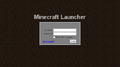 The first Minecraft launcher.
 -
The second Minecraft launcher. You can see old Minecraft logo.
-
The third Minecraft launcher.
-
The fourth Minecraft launcher.
-
The current Minecraft launcher, version 1.2
-
The Development Console tab after the Launcher starts
-
The Local Version Editor (NYI) tab
-
Error message that is displayed if your launcher is outdated

POWYŻEJ NALEŻY PRZETŁUMACZYĆ!!! -->
Przypisy
Przypisy
Poniżej znajduje się lista przypisów na tej stronie.
- ↑ https://twitter.com/dinnerbone/status/344164561701724160
- ↑ https://twitter.com/dinnerbone/status/364762596387205120
- ↑ https://twitter.com/Dinnerbone/status/408246271921901568
- ↑ https://twitter.com/dinnerbone/status/405366855785021440
- ↑ https://twitter.com/dinnerbone/status/403111179859812352
- ↑ https://twitter.com/dinnerbone/status/402434001451098112
- ↑ https://twitter.com/Marc_IRL/status/378280823180361729
- ↑ https://twitter.com/dinnerbone/status/374887108932288512
- ↑ https://twitter.com/dinnerbone/status/365040968644296705
- ↑ https://twitter.com/dinnerbone/status/364699262233223169
- ↑ https://twitter.com/_grum/status/364699271708151808
- ↑ https://twitter.com/_grum/status/361126093777936384
- ↑ http://hopper.minecraft.net/
- ↑ https://twitter.com/dinnerbone/status/354595929925496832
- ↑ https://twitter.com/dinnerbone/status/354351963288248321
- ↑ https://twitter.com/dinnerbone/status/352109843731070976
- ↑ MCL-590
- ↑ https://twitter.com/notch/status/38621269331025921
- ↑ http://mcupdate.tumblr.com/post/3427294253/welcome-to-the-new-minecraft-launcher
- ↑ http://notch.tumblr.com/post/3428176687/server-downtime-and-a-new-launcher
- ↑ http://www.mojang.com/2012/03/minecraft-1-2-is-out/


.png)
