Jeśli ta strona jest pusta, to znaczy, że aktualnie nie pracuję nad większą edycją/nową stroną.
Jeśli ta strona jest pusta, to znaczy, że aktualnie nie pracuję nad większą edycją/nową stroną.
= Kody klawiszy =
= Przekaźnik =
Na tej stronie znajduje się lista '''kodów klawiszy''' używanych przez LWJGL oraz grę [[Minecraft]]. Kody klawiszy są używane w plikach gry znajdujących się w folderze [[.minecraft]].
{{Blok
|wygląd=Przekaźnik (aktywny).gif
|wygląd2=Przekaźnik (nieaktywny).gif
|invwygląd=Przekaźnik
|typ=Blok solidny
|grawitacja=Nie
|przezroczystość=Tak <small>(częściowo)</small>
|światło=Nie (7 jeśli jest aktywny, tylko Pocket Edition)
'''Przekaźnik''' jest blokiem używanym do tworzenia obwodów czerwonego kamienia. Służy do opóźniania sygnału i przesyłania wygasającego sygnału z pełną mocą. Przesyła sygnały tylko w jedną stronę, przez co zapobiega biegnięciu sygnału wstecz.
[https://minecraft.gamepedia.com/index.php?title=Key_Codes/Keyboard1&action=render Tu] znajduje się pełny wygląd klawiatury QWERTY wraz z kodami klawiszy.
== Otrzymywanie ==
== Kody klawiatury ==
Przekaźnik może być zniszczony z użyciem czegokolwiek. Przekaźnik zostanie także zniszczony, jeżeli:
|56 || LMENU <ref name="menualt">LWJGL maps the menu key and the alt key to the same value.</ref> || Left Menu/Alt
|-
|57 || colspan="2" | SPACE || Spacja
|-
|58 || CAPITAL || Caps Lock
|-
|59 || colspan="2" | F1
|-
|60 || colspan="2" | F2
|-
|61 || colspan="2" | F3
|-
|62 || colspan="2" | F4
|-
|63 || colspan="2" | F5
|-
|64 || colspan="2" | F6
|-
|65 || colspan="2" | F7
|}
| align="center" valign="top" width="50%"|
{|class="wikitable" width="80%"
! width="33%" | Value !! width="33%" | Name !! width="34%" | Description
|-
|66 || colspan="2" | F8
|-
|67 || colspan="2" | F9
|-
|68 || colspan="2" | F10
|-
|69 || NUMLOCK || Number Lock
|-
|70 || SCROLL || Scroll Lock
|-
|71 || NUMPAD7 || 7
|-
|72 || NUMPAD8 || 8
|-
|73 || NUMPAD9 || 9
|-
|74 || SUBTRACT || -
|-
|75 || NUMPAD4 || 4
|-
|76 || NUMPAD5 || 5
|-
|77 || NUMPAD6 || 6
|-
|78 || ADD || +
|-
|79 || NUMPAD1 || 1
|-
|80 || NUMPAD2 || 2
|-
|81 || NUMPAD3 || 3
|-
|82 || NUMPAD0 || 0
|-
|83 || DECIMAL || .
|-
|87 || colspan="2" | F11
|-
|88 || colspan="2" | F12
|-
|100 || colspan="2" | F13
|-
|101 || colspan="2" | F14
|-
|102 || colspan="2" | F15
|-
|103 || colspan="2" | F16
|-
|104 || colspan="2" | F17
|-
|105 || colspan="2" | F18
|-
|112 || KANA ||
|-
|113 || colspan="2" | F19
|-
|121 || CONVERT ||
|-
|123 || NOCONVERT ||
|-
|125 || YEN || ¥
|-
|141 || NUMPADEQUALS ||
|-
|144 || CIRCUMFLEX || ^
|-
|145 || AT || @
|-
|146 || COLON || :
|-
|147 || UNDERLINE || _
|-
|148 || KANJI ||
|-
|149 || STOP ||
|-
|150 || AX ||
|-
|151 || UNLABLED ||
|-
|156 || NUMPADENTER ||
|-
|157 || RCONTROL || Right Control
|-
|157 || SECTION ||
|-
|179 || NUMPADCOMMA ||
|-
|181 || DIVIDE ||
|-
|183 || SYSRQ ||
|-
|184 || RMENU <ref name="menualt"/> || Right Menu/Alt
|-
|196 || FUNCTION ||
|-
|197 || PAUSE ||
|-
|199 || HOME ||
|-
|200 || UP || Up Arrow
|-
|201 || PRIOR || Page Up
|-
|203 || LEFT || Left Arrow
|-
|205 || RIGHT || Right Arrow
|-
|207 || END ||
|-
|208 || DOWN || Down Arrow
|-
|209 || NEXT || Page Down
|-
|210 || INSERT ||
|-
|211 || DELETE ||
|-
|rowspan="2"| 219 || LMETA || rowspan="2" | Left Meta/Super
|-
|LWIN<ref name="winkeys">The use of the names "LWIN" and "RWIN" are officially deprecated and the names "LMETA" and "RMETA" should be used instead.</ref>
|-
|rowspan="2"| 220 || RMETA || rowspan="2" | Right Meta/Super
|-
|RWIN<ref name="winkeys" />
|-
|221 || APPS ||
|-
|222 || POWER ||
|-
|223 || SLEEP ||
|}
|}
|}
== Mouse codes ==
=== Naturalne generowanie ===
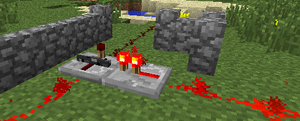
Przekaźniki generują się naturalnie wyłącznie w dżunglowych świątyniach jako element mechanizmu.
== Zastosowanie ==
Przekaźnik może być użyty do przesłania sygnału z pełną mocą, opóźniania sygnału i jego blokowania.
Przekaźnik może zostać umieszczony tylko na blokach nieprzezroczystych oraz na wierzchu schodów, półbloków oraz lei.
Przekaźniki posiadają wejście oraz wyjście. Sygnał przesyłany jest zawsze z wejścia do wyjścia. Na przedzie bloku znajdują się dwie czerwone pochodnie, dystans między nimi określa opóźnienie w przesyłaniu sygnału. Pochodnie świecą się, kiedy przekaźnik przesyła sygnał.
Przekaźniki mają 0,125 (⅛) bloku wysokości.
=== Przesyłanie sygnału ===
Przekaźniki przesyłają sygnał jedynie z wejścia do wyjścia. Jego działanie może być modyfikowane poprzez [[#Blokowanie sygnału|blokowanie sygnału]].
[[File:2011-10-12 20.37.57.png|Different ways to power a repeater|thumb]]
A redstone repeater can be powered by any of the following components at its back:
* an active [[power component]] (redstone torch, lever, block of redstone, etc.)
* powered [[redstone dust]]
* a powered [[redstone comparator]] or another powered redstone repeater facing the repeater
* a powered opaque block (including any opaque [[mechanism component]]s, such as [[dispenser]]s, [[redstone lamp]]s, etc.)
A redstone repeater can power any of the following components at its front:
* redstone dust
* a redstone comparator or another redstone repeater facing away from the repeater
* any opaque block (including any opaque [[mechanism component]]s)
A redstone repeater can activate any [[mechanism component]] it is facing.
An opaque block powered by a redstone repeater is called "strongly-powered" (as opposed to an opaque block "weakly-powered" by redstone dust). A strongly-powered opaque block can power adjacent redstone dust, as well as other redstone components.
=== Signal repeating ===
{{see also|Transmission circuit#Repeater}}
A redstone repeater can "repeat" a redstone signal, boosting it back up to power level 15.
Redstone signals have a maximum power level of 15 and that level drops by 1 for every block of [[redstone dust]] the signal travels through. If a signal must travel through more than 15 blocks of redstone dust, a redstone repeater can be used to boost the signal back up to full strength. An extra two blocks of distance can be achieved by placing solid opaque blocks before and after the repeater.
While redstone repeaters can allow signals to travel great distances, each always adds some delay to the transmission since the minimum amount of delay is 1 redstone tick (0.1 seconds, barring lag).
=== Signal delay ===
When initially placed, a redstone repeater has a delay of 1 [[redstone tick]] (equivalent to 2 game ticks, or 0.1 seconds barring lag).
A repeater's delay can be modified by using the {{control|Use Item}} control. Each use increases the repeater's delay by 1 redstone tick, to a maximum of 4 redstone ticks, then back to 1 redstone tick. Longer delays can be made with multiple repeaters – for example, a repeater set to '4' and another to '1' will give a half second delay (0.4s + 0.1s = 0.5s).
A repeater set to a delay of 2 to 4 redstone ticks will increase the length of any shorter [[Pulse circuit#Pulses|on-pulse]] to match the length of the repeater's delay, and suppress any shorter off-pulse. For example, a repeater set to a 4-tick delay will change a 1-tick, 2-tick, or 3-tick on-pulse into a 4-tick on-pulse, and will not allow through any off-pulse shorter than 4 ticks.
Note: A repeater cannot be set to have a delay of zero.
=== {{anchor|diode}} Signal direction ===
{{see also|Transmission circuit#Diode}}
A redstone repeater acts as a "diode" – it will only allow redstone signals through in one direction (unlike [[redstone dust]] or opaque blocks which can transmit redstone signals in any direction).
A diode can be used to protect a [[redstone circuit]] from redstone signals feeding back into the circuit from its output, or can be used to isolate one part of a circuit from another.
=== {{anchor|lock}} Blokowanie sygnału ===
[[File:Latch.png|thumb|The left repeater has been locked in an unpowered output state by the right repeater.]]
A redstone repeater can be "locked" by another powered redstone repeater facing its side. When locked, the repeater will not change its output (whether powered or unpowered), no matter what the input does. When the side repeater turns back off, the repeater will go back to its normal behavior.
A repeater can also be locked by a powered [[redstone comparator]] facing its side. This offers additional possibilities for locking signals because a comparator's output can be affected from 3 sides as well as by containers.
While a repeater is locked by another repeater (but not by a comparator), the small movable redstone torch on top will change into a bedrock bar, indicating its locked status.
LWJGL supports a maximum of 16 mouse buttons. The Minecraft game settings screen translates button 0 to "Button 1", button 1 to "Button 2", etc.
If a repeater is locked again too quickly after unlocking (e.g. the lock is controlled by a fast clock circuit), or the lock and the input are changed only on the same tick (e.g. because they're fed by the same clock and both repeaters have the same delay), the repeater will not switch states.
! colspan="2" | Value !! rowspan="2" width="25%" | LWJGL <br> Name !! rowspan="2" width="25%" | Description
|-
! width="25%" | LWJGL !! width="25%" | Minecraft
|-
| 0 || -100 || BUTTON0 || Left Click
|-
| 1 || -99 || BUTTON1 || Right Click
|-
| 2 || -98 || BUTTON2 || Middle Click
|-
| 3 || -97 || BUTTON3 || rowspan=5 |
|-
| 4 || -96 || BUTTON4
|-
| 5 || -95 || BUTTON5
|-
| 6 || -94 || BUTTON6
|-
| 7 || -93 || BUTTON7
|}
| align="center" valign="top" width="50%"|
{{Historia|b}}
{{Historia||1.3|Dodano przekaźniki. Pierwotnie opóźniały sygnał o 1, 2, 5 lub 7 ticków<ref>http://twitter.com/jeb_/status/33888465502339073</ref><ref>http://www.reddit.com/r/Minecraft/comments/fmdtp/teammojang_redstone_repeater_video/c1gzrn6</ref>. Zostało to zmienione na 1, 2, 3 lub 4 ticki.}}
{{Historia|release}}
{{Historia||1.3.1|Przekaźniki generują się teraz naturalnie w [[dżunglowa świątynia|dżunglowych świątyniach]].}}
Przekaźnik jest blokiem używanym do tworzenia obwodów czerwonego kamienia. Służy do opóźniania sygnału i przesyłania wygasającego sygnału z pełną mocą. Przesyła sygnały tylko w jedną stronę, przez co zapobiega biegnięciu sygnału wstecz.
Otrzymywanie
Przekaźnik może być zniszczony z użyciem czegokolwiek. Przekaźnik zostanie także zniszczony, jeżeli:
Blok, na którym jest umieszczony, zostanie zniszczony lub poruszony przez tłok,
Przekaźniki generują się naturalnie wyłącznie w dżunglowych świątyniach jako element mechanizmu.
Zastosowanie
Przekaźnik może być użyty do przesłania sygnału z pełną mocą, opóźniania sygnału i jego blokowania.
Przekaźnik może zostać umieszczony tylko na blokach nieprzezroczystych oraz na wierzchu schodów, półbloków oraz lei.
Przekaźniki posiadają wejście oraz wyjście. Sygnał przesyłany jest zawsze z wejścia do wyjścia. Na przedzie bloku znajdują się dwie czerwone pochodnie, dystans między nimi określa opóźnienie w przesyłaniu sygnału. Pochodnie świecą się, kiedy przekaźnik przesyła sygnał.
Przekaźniki mają 0,125 (⅛) bloku wysokości.
Przesyłanie sygnału
Przekaźniki przesyłają sygnał jedynie z wejścia do wyjścia. Jego działanie może być modyfikowane poprzez blokowanie sygnału.
An opaque block powered by a redstone repeater is called "strongly-powered" (as opposed to an opaque block "weakly-powered" by redstone dust). A strongly-powered opaque block can power adjacent redstone dust, as well as other redstone components.
A redstone repeater can "repeat" a redstone signal, boosting it back up to power level 15.
Redstone signals have a maximum power level of 15 and that level drops by 1 for every block of redstone dust the signal travels through. If a signal must travel through more than 15 blocks of redstone dust, a redstone repeater can be used to boost the signal back up to full strength. An extra two blocks of distance can be achieved by placing solid opaque blocks before and after the repeater.
While redstone repeaters can allow signals to travel great distances, each always adds some delay to the transmission since the minimum amount of delay is 1 redstone tick (0.1 seconds, barring lag).
Signal delay
When initially placed, a redstone repeater has a delay of 1 redstone tick (equivalent to 2 game ticks, or 0.1 seconds barring lag).
A repeater's delay can be modified by using the Szablon:Control control. Each use increases the repeater's delay by 1 redstone tick, to a maximum of 4 redstone ticks, then back to 1 redstone tick. Longer delays can be made with multiple repeaters – for example, a repeater set to '4' and another to '1' will give a half second delay (0.4s + 0.1s = 0.5s).
A repeater set to a delay of 2 to 4 redstone ticks will increase the length of any shorter on-pulse to match the length of the repeater's delay, and suppress any shorter off-pulse. For example, a repeater set to a 4-tick delay will change a 1-tick, 2-tick, or 3-tick on-pulse into a 4-tick on-pulse, and will not allow through any off-pulse shorter than 4 ticks.
Note: A repeater cannot be set to have a delay of zero.
A redstone repeater acts as a "diode" – it will only allow redstone signals through in one direction (unlike redstone dust or opaque blocks which can transmit redstone signals in any direction).
A diode can be used to protect a redstone circuit from redstone signals feeding back into the circuit from its output, or can be used to isolate one part of a circuit from another.
Blokowanie sygnału
The left repeater has been locked in an unpowered output state by the right repeater.
A redstone repeater can be "locked" by another powered redstone repeater facing its side. When locked, the repeater will not change its output (whether powered or unpowered), no matter what the input does. When the side repeater turns back off, the repeater will go back to its normal behavior.
A repeater can also be locked by a powered redstone comparator facing its side. This offers additional possibilities for locking signals because a comparator's output can be affected from 3 sides as well as by containers.
While a repeater is locked by another repeater (but not by a comparator), the small movable redstone torch on top will change into a bedrock bar, indicating its locked status.
If a repeater is locked again too quickly after unlocking (e.g. the lock is controlled by a fast clock circuit), or the lock and the input are changed only on the same tick (e.g. because they're fed by the same clock and both repeaters have the same delay), the repeater will not switch states.


.gif)
.gif)