Użytkownik:Lewandowski/brudnopis: Różnice pomiędzy wersjami
Utworzył nową stronę „Poniżej znajdziesz listę identyfikatorów wszystkich bloków oraz przedmiotów w Minecrafcie przedstawione za pomocą wartości dziesiętnych...” |
SZCZERZE NIE CHCE MI SIĘ TEGO ROBIĆ, JAK KTOŚ CHCE, TO MOŻE PRZEJĄĆ TO, JA NIE WIEM, KIEDY BYM TO DOKOŃCZYŁ, WOLĘ ZAJĄĆ SIĘ INNYMI ARTYKUŁAMI |
||
| Linia 1: | Linia 1: | ||
'''SZCZERZE NIE CHCE MI SIĘ TEGO ROBIĆ, JAK KTOŚ CHCE, TO MOŻE PRZEJĄĆ TO, JA NIE WIEM, KIEDY BYM TO DOKOŃCZYŁ, WOLĘ ZAJĄĆ SIĘ INNYMI ARTYKUŁAMI''' | |||
Poniżej znajdziesz listę identyfikatorów wszystkich [[bloki|bloków]] oraz [[przedmioty|przedmiotów]] w Minecrafcie przedstawione za pomocą wartości dziesiętnych i szesnastkowych. Znajomość tych identyfikatorów jest wymagana w wielu miejscach w grze. Poza tym poniżej jest ukazany ekran ekwipunku i identyfikatory pól oraz bardziej zaawansowane właściwości, jak np. kolory wełny, czy kierunek torów. | Poniżej znajdziesz listę identyfikatorów wszystkich [[bloki|bloków]] oraz [[przedmioty|przedmiotów]] w Minecrafcie przedstawione za pomocą wartości dziesiętnych i szesnastkowych. Znajomość tych identyfikatorów jest wymagana w wielu miejscach w grze. Poza tym poniżej jest ukazany ekran ekwipunku i identyfikatory pól oraz bardziej zaawansowane właściwości, jak np. kolory wełny, czy kierunek torów. | ||
Wersja z 23:36, 28 cze 2011
SZCZERZE NIE CHCE MI SIĘ TEGO ROBIĆ, JAK KTOŚ CHCE, TO MOŻE PRZEJĄĆ TO, JA NIE WIEM, KIEDY BYM TO DOKOŃCZYŁ, WOLĘ ZAJĄĆ SIĘ INNYMI ARTYKUŁAMI
Poniżej znajdziesz listę identyfikatorów wszystkich bloków oraz przedmiotów w Minecrafcie przedstawione za pomocą wartości dziesiętnych i szesnastkowych. Znajomość tych identyfikatorów jest wymagana w wielu miejscach w grze. Poza tym poniżej jest ukazany ekran ekwipunku i identyfikatory pól oraz bardziej zaawansowane właściwości, jak np. kolory wełny, czy kierunek torów.
Identyfikatory bloków
These values apply to both inventory items and to blocks placed in the world. This reflects the most recent version. Wpisy oznaczone D wymagają dodatkowych danych do pełnego zdefiniowania bloku. Te, oznaczone I posiadają inne ID jako przedmiot (? have a different ID as an inventory item). Oznaczone B require additional inventory data to fully define the inventory item. Items with IDs in red cannot be legitimately obtained in the player's inventory in the game; they can only be obtained by "hacking" (such as the use of Inventory editors) or, in multiplayer using the /give server command.
Notice: Removed items are green. (Removed but special items are: April Fools' Locked Chest, Collectors' items, testing items, etc.)


.png)


| Icon | Dec | Hex | Block type |
|---|---|---|---|
| Plik:Redstone (Ore).png | 73 | 49 | Redstone Ore |
| Plik:Redstone (Ore).png | 74 | 4A | Glowing Redstone Ore |
| Plik:Redstone (Torch, Inactive).png | 75 | 4B | Redstone Torch ("off" state) D |
| Plik:Redstone (Torch, Active).png | 76 | 4C | Redstone Torch ("on" state) D |
| Plik:Stone Button.png | 77 | 4D | Stone Button D |
| Plik:Snow.png | 78 | 4E | Snow |
| Plik:Ice.png | 79 | 4F | Ice |
| Plik:Snow (Block).png | 80 | 50 | Snow Block |
| Plik:Cactus.png | 81 | 51 | Cactus D |
| Plik:Clay (Block).png | 82 | 52 | Clay Block |
| Plik:Sugar Cane.png | 83 | 53 | Sugar Cane D, I |
| Plik:Jukebox.png | 84 | 54 | Jukebox D |
| Plik:Fence.png | 85 | 55 | Fence |
| Plik:Pumpkin.png | 86 | 56 | Pumpkin D |
 |
87 | 57 | Netherrack |
| Plik:Soul Sand.png | 88 | 58 | Soul Sand |
| Plik:Glowstone (Block).png | 89 | 59 | Glowstone Block |
 |
90 | 5A | Portal |
| Plik:Jack-O-Lantern.png | 91 | 5B | Jack-O-Lantern D |
| Plik:Cake.png | 92 | 5C | Cake Block D |
.png) |
93 | 5D | Redstone Repeater ("off" state) D I |
.png) |
94 | 5E | Redstone Repeater ("on" state) D I |
| Plik:Chest.png | 95 | 5F | Locked Chest |
Item IDs
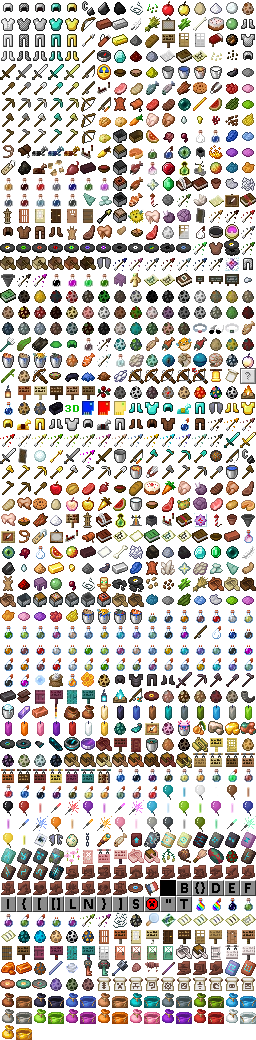
All items have values above 255, making it easy to separate the Block IDs from the Item IDs. Entries marked with a D require additional data to fully define the item in a Beta world. The chainmail set is currently unobtainable without hacking or, in multiplayer, the /give server command.
| Icon | Dec | Hex | Item |
|---|---|---|---|
| 256 | 100 | Iron Shovel | |
| 257 | 101 | Iron Pickaxe | |
| 258 | 102 | Iron Axe | |
| 259 | 103 | Flint and Steel | |
| 260 | 104 | Apple | |
| 261 | 105 | Bow | |
| 262 | 106 | Arrow | |
| 263 | 107 | Coal D | |
| 264 | 108 | Diamond | |
| 265 | 109 | Iron Ingot | |
| 266 | 10A | Gold Ingot | |
| 267 | 10B | Iron Sword | |
| 268 | 10C | Wooden Sword | |
| 269 | 10D | Wooden Shovel | |
| 270 | 10E | Wooden Pickaxe | |
| 271 | 10F | Wooden Axe | |
| 272 | 110 | Stone Sword | |
| 273 | 111 | Stone Shovel | |
| 274 | 112 | Stone Pickaxe | |
| 275 | 113 | Stone Axe | |
| 276 | 114 | Diamond Sword | |
| 277 | 115 | Diamond Shovel | |
| 278 | 116 | Diamond Pickaxe | |
| 279 | 117 | Diamond Axe | |
| 280 | 118 | Stick | |
| 281 | 119 | Bowl | |
| 282 | 11A | Mushroom Soup | |
| 283 | 11B | Gold Sword | |
| 284 | 11C | Gold Shovel | |
| 285 | 11D | Gold Pickaxe | |
| 286 | 11E | Gold Axe | |
| 287 | 11F | String |
| Icon | Dec | Hex | Item |
|---|---|---|---|
| 288 | 120 | Feather | |
| 289 | 121 | Gunpowder | |
| 290 | 122 | Wooden Hoe | |
| 291 | 123 | Stone Hoe | |
| 292 | 124 | Iron Hoe | |
| 293 | 125 | Diamond Hoe | |
| 294 | 126 | Gold Hoe | |
| 295 | 127 | Seeds | |
| 296 | 128 | Wheat | |
| 297 | 129 | Bread | |
| 298 | 12A | Leather Helmet | |
| 299 | 12B | Leather Chestplate | |
| 300 | 12C | Leather Leggings | |
| 301 | 12D | Leather Boots | |
| 302 | 12E | Chainmail Helmet | |
| 303 | 12F | Chainmail Chestplate | |
| 304 | 130 | Chainmail Leggings | |
| 305 | 131 | Chainmail Boots | |
| 306 | 132 | Iron Helmet | |
| 307 | 133 | Iron Chestplate | |
| 308 | 134 | Iron Leggings | |
| 309 | 135 | Iron Boots | |
| 310 | 136 | Diamond Helmet | |
| 311 | 137 | Diamond Chestplate | |
| 312 | 138 | Diamond Leggings | |
| 313 | 139 | Diamond Boots | |
| 314 | 13A | Gold Helmet | |
| 315 | 13B | Gold Chestplate | |
| 316 | 13C | Gold Leggings | |
| 317 | 13D | Gold Boots | |
| 318 | 13E | Flint | |
| 319 | 13F | Raw Porkchop |
| Icon | Dec | Hex | Item |
|---|---|---|---|
| 320 | 140 | Cooked Porkchop | |
| 321 | 141 | Paintings | |
| 322 | 142 | Golden Apple | |
| 323 | 143 | Sign | |
| 324 | 144 | Wooden door | |
| 325 | 145 | Bucket | |
| 326 | 146 | Water bucket | |
| 327 | 147 | Lava bucket | |
| 328 | 148 | Minecart | |
| 329 | 149 | Saddle | |
| 330 | 14A | Iron door | |
| 331 | 14B | Redstone | |
| 332 | 14C | Snowball | |
| 333 | 14D | Boat | |
| 334 | 14E | Leather | |
| 335 | 14F | Milk | |
| 336 | 150 | Clay Brick | |
| 337 | 151 | Clay Balls | |
| 338 | 152 | Sugar Cane | |
| 339 | 153 | Paper | |
| 340 | 154 | Book | |
| 341 | 155 | Slimeball | |
| 342 | 156 | Storage Minecart | |
| 343 | 157 | Powered Minecart | |
| 344 | 158 | Egg | |
| 345 | 159 | Compass | |
| 346 | 15A | Fishing Rod | |
| 347 | 15B | Clock | |
| 348 | 15C | Glowstone Dust | |
| 349 | 15D | Raw Fish | |
| 350 | 15E | Cooked Fish | |
| 351 | 15F | Dye D |
| Icon | Dec | Hex | Item |
|---|---|---|---|
| 352 | 160 | Bone | |
| 353 | 161 | Sugar | |
| 354 | 162 | Cake | |
| 355 | 163 | Bed | |
| 356 | 164 | Redstone Repeater | |
| 357 | 165 | Cookie | |
| 2256 | 8D0 | Gold Music Disc | |
| 2257 | 8D1 | Green Music Disc |
Inventory Slot Number
This shows the numbers used to specify the slot in the inventory while editing with NBTedit
Data
Special data for certain block and item types. Storage differs according to level format.
| Block | dec | hex | Use |
|---|---|---|---|
| Wood | 0-2 | 0-2 | Wood Texture |
| Fire | 0-15 | 0-F | Age in some fraction of a second |
| Leaves | 0-2 | 0-2 | Leaves Texture |
| Jukebox | 0-2 | 0-2 | Disc in jukebox |
| Saplings | 0-15 | 0-F | Age |
| Cactus | 0-15 | 0-F | Age |
| Sugar Canes | 0-15 | 0-F | Age |
| Water and Lava | 0-15 | 0-F | Fluid level |
| Soil/Farmland | 0-8 | 0-8 | Wetness |
| Crops | 0-7 | 0-7 | Crop size |
| Wool | 0-15 | 0-F | Color |
| Dyes | 0-15 | 0-F | Dye Color |
| Torches and Redstone Torches | 0-5 | 0-5 | Torch orientation |
| Redstone | 0-15 | 0-F | Current strength |
| Rails | 0-9 | 0-9 | Rail slope and orientation |
| Ladders | 0-3 | 0-3 | Ladder orientation |
| Stairs | 0-3 | 0-3 | Stair orientation |
| Levers | 6-14 | 6-E | Lever orientation and thrown state |
| Doors | 0-15 | 0-F | Hinge corner position and swing state |
| Buttons | 0-15 | 0-F | Button orientation |
| Sign Posts | 0-15 | 0-F | Sign orientation |
| Wall Signs | 2-5 | 2-5 | Sign orientation |
| Furnaces and Dispensers | 2-5 | 2-5 | Furnace or Dispenser orientation |
| Pumpkins and Jack-o-lanterns | 0-3 | 0-3 | Pumpkin orientation |
| Pressure Plates | 0-1 | 0-1 | Whether it's pressed |
| Coal | 0-1 | 0-1 | Type of coal (mined coal or charcoal) |
| Tools and Armor | varies | Damage level | |
| Slabs | 0-3 | 0-3 | Type of slab |
| Cake | 0-5 | 0-5 | Pieces eaten |
| Bed | 0-3, 8-11 | 0-3, 8-B | Orientation and head/foot |
| Redstone Repeater/Delayer | 0-15 | 0-F | Orientation and delay |
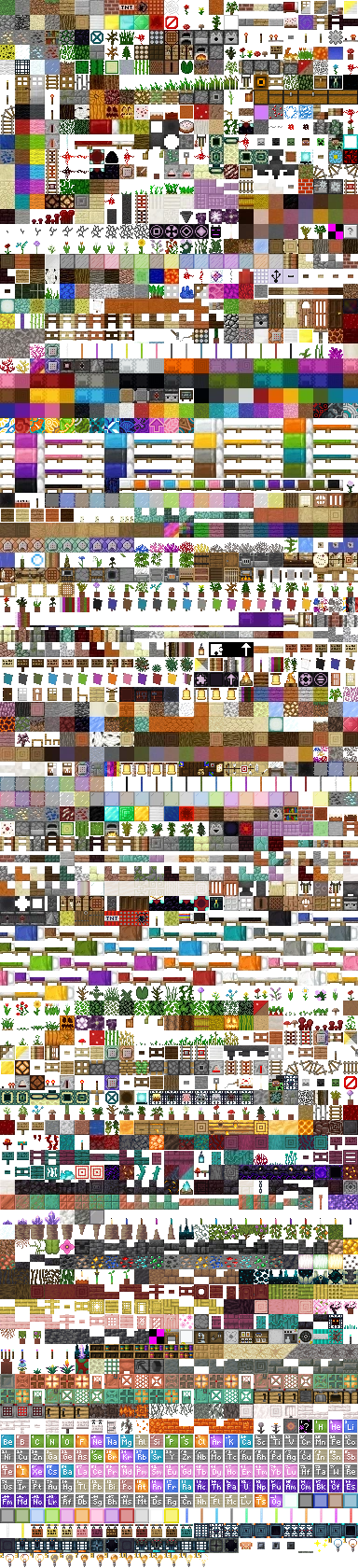
Wood
| Icon | Value | Description |
|---|---|---|
| 0 | Is the usual trunk texture | |
| 1 | Is the redwood like texture | |
| 2 | Is a birch texture |


.png)
.png)
.png)


.png)
.png)


.png)
.png)


.png)


.png)
.png)


.png)


.png)
.png)
.png)


.png)

.png)


.png)


Fire
0x0 is a placed or spread fire. Once it reaches 0xF the eternal fire-trick will work since there will be no further updates of the block
Leaves
If bit 0x4 is set, the leaves will be checked for decay. The bit will be cleared after the check if the leaves do not decay. The bit will be set again whenever a block adjacent to the leaves is changed.
| Icon | Value | Description |
|---|---|---|
| 0 | Is the usual tree's leaves texture | |
| 1 | Is the redwood tree's leaves texture | |
| 2 | Is a birch tree's leaves texture |
Coal
| Icon | Value | Description |
|---|---|---|
| 0 | Coal | |
| 1 | Charcoal |
Jukebox
| Icon | Value | Description |
|---|---|---|
| 0 | Nothing | |
| 1 | Gold Music Disc | |
| 2 | Green Music Disc |
Saplings
0x0 is a freshly planted sapling. The data value is incremented at random intervals. When it becomes 15, a new tree is created in its place.
Cactus
0x0 is a freshly planted cactus. The data value is incremented at random intervals. When it becomes 15, a new cactus block is created on top as long as the total height does not exceed 3.
Sugar Canes
0x0 is a freshly planted cane. The data value is incremented at random intervals. When it becomes 15, a new sugar cane block is created on top as long as the total height does not exceed 4.
Water and Lava
0x0 is a full block. Water goes up to 0x7, Lava goes up to 0x6 (using the steps 0x0, 0x2, 0x4 and 0x6). If bit 0x8 is set, this liquid is "falling" and only spreads downward.
Farmland
0x0 is dry land, 0x1-0x8 are increasing levels of wetness. The wetness value depends on how far the block is away from water.
Crops
Crops grow from 0x0 to 0x7 (Pictured below).
| Icon | Value |
|---|---|
| 0 | |
| 1 | |
| 2 | |
| 3 | |
| 4 | |
| 5 | |
| 6 | |
| 7 |

Wool
Note: Only the default wool block - block ID #35 - can be spawned using the /give method. The materials for dying wool must be spawned or collected in order to get colored wool.
These values specify the color of the wool. This data is stored in block metadata for placed wool, and as the "damage" for wool in the inventory.
| Icon | Dec | Hex | Description |
|---|---|---|---|
| 0 | 0x0 | Regular wool (white) | |
| 1 | 0x1 | Orange | |
| 2 | 0x2 | Magenta | |
| 3 | 0x3 | Light Blue | |
| 4 | 0x4 | Yellow | |
| 5 | 0x5 | Light Green | |
| 6 | 0x6 | Pink | |
| 7 | 0x7 | Gray | |
| 8 | 0x8 | Light Gray | |
| 9 | 0x9 | Cyan | |
| 10 | 0xA | Purple | |
| 11 | 0xB | Blue | |
| 12 | 0xC | Brown | |
| 13 | 0xD | Dark Green | |
| 14 | 0xE | Red | |
| 15 | 0xF | Black |
Dyes
| Icon | Dec | Hex | Description |
|---|---|---|---|
| 0 | 0x0 | Ink Sac | |
| 1 | 0x1 | Rose Red | |
| 2 | 0x2 | Cactus Green | |
| 3 | 0x3 | Cocoa Beans | |
| 4 | 0x4 | Lapis Lazuli | |
| 5 | 0x5 | Purple Dye | |
| 6 | 0x6 | Cyan Dye | |
| 7 | 0x7 | Light Gray Dye | |
| 8 | 0x8 | Gray Dye | |
| 9 | 0x9 | Pink Dye | |
| 10 | 0xA | Lime Dye | |
| 11 | 0xB | Dandelion Yellow | |
| 12 | 0xC | Light Blue Dye | |
| 13 | 0xD | Magenta Dye | |
| 14 | 0xE | Orange Dye | |
| 15 | 0xF | Bone Meal |
Torches and Redstone Torches
- 0x1: Pointing south
- 0x2: Pointing north
- 0x3: Pointing west
- 0x4: Pointing east
- 0x5: Standing on the floor
Rails
- 0x0: flat track going east-west
- 0x1: flat track going north-south
- 0x2: track ascending to the south
- 0x3: track ascending to the north
- 0x4: track ascending to the east
- 0x5: track ascending to the west
Make a circle from four rails:
- 0x6: Northeast corner
- 0x7: Southeast corner
- 0x8: Southwest corner
- 0x9: Northwest corner
Ladders
- 0x2: Attached to the east side of a block
- 0x3: West side of a block
- 0x4: North side
- 0x5: South side
Stairs
- 0x0: Ascending south
- 0x1: Ascending north
- 0x2: Ascending west
- 0x3: Ascending east
Levers
- 0x8: If this bit is set, the lever has been thrown and is providing power.
Wall levers:
- 0x1: Facing south
- 0x2: Facing north
- 0x3: Facing west
- 0x4: Facing east
Ground levers:
- 0x5: Lever points west when off.
- 0x6: Lever points south when off. (Note that unlike the other types of switch, this version will not power wires around the block it is sitting on.)
Doors
- 0x8: If this bit is set, this is the top half of a door.
- 0x4: If this bit is set, the door has swung counterclockwise around its hinge.
Location of hinge within block:
- 0x0: Northeast corner
- 0x1: Southeast corner
- 0x2: Southwest corner
- 0x3: Northwest corner
Buttons
- 0x8 If this bit is set, the button has been pressed. If this bit is set in a saved level, the button will remain pressed for an undefined length of time after the level is loaded.
Button direction:
- 0x1: Facing south
- 0x2: Facing north
- 0x3: Facing west
- 0x4: Facing east
Sign Posts
- 0x0: West
- 0x1: West-Northwest
- 0x2: Northwest
- 0x3: North-Northwest
- 0x4: North
- 0x5: North-Northeast
- 0x6: Northeast
- 0x7: East-Northeast
- 0x8: East
- 0x9: East-Southeast
- 0xA: Southeast
- 0xB: South-Southeast
- 0xC: South
- 0xD: South-Southwest
- 0xE: Southwest
- 0xF: West-Southwest
Wall Signs
- 0x2: Facing east
- 0x3: Facing west
- 0x4: Facing north
- 0x5: Facing south
Furnaces and Dispensers
- 0x2: Facing east
- 0x3: Facing west
- 0x4: Facing north
- 0x5: Facing south
Pumpkins and Jack-O-Lanterns
- 0x0: Facing east
- 0x1: Facing south
- 0x2: Facing west
- 0x3: Facing north
Pressure Plates
- 0x1: If this bit is set, the plate is pressed.
Slab and Double Slab material
| Icon | Value | Description |
|---|---|---|
| 0x0 | Stone Slab | |
| 0x1 | Sandstone Slab | |
| 0x2 | Wooden Slab | |
| 0x3 | Cobblestone Slab |
Cake
- 0x0: Full cake
- 0x1-0x5: 1 to 5 pieces eaten
Beds
- 0x0: Head is pointing West
- 0x1: Head is pointing North
- 0x2: Head is pointing East
- 0x3: Head is pointing South
- 0x8: (bit flag) - When 0, the foot of the bed. When 1, the head of the bed.
Redstone Repeater
Low (1st & 2nd) bits:
- 0x0: Facing east
- 0x1: Facing south
- 0x2: Facing west
- 0x3: Facing north
High (3rd & 4th) bits:
- 0x0: 1 tick delay
- 0x1: 2 tick delay
- 0x2: 3 tick delay
- 0x3: 4 tick delay