User:Majr/The Workbench - minecraft.fandom.com
Testing[]
Test paragraph Test paragraph Test paragraph Test paragraph Test paragraph Test paragraph
- Test list
- Test list
- Test list
- Test list
- Test list
- Test list
Example[]
Crafting is the method by which many blocks, tools, and materials are made in Minecraft. In order to craft something, players must move items from their inventory to a crafting grid. A 2×2 crafting grid can be accessed from the player's inventory. A 3×3 grid can be accessed by using a crafting table.
Usage[]
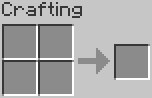

2×2 crafting grid (Inventory)
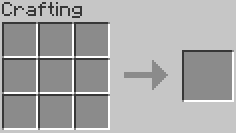

3×3 crafting grid (Crafting Table)
For some items, the arrangement of their ingredients on the crafting grid is unimportant. These are commonly known as shapeless recipes. For example, a fermented spider eye can have its ingredients placed anywhere within the grid.[note 1]
On the other hand, many of the more important or useful game objects must have their ingredients placed in the correct relative positions on the crafting grid. Even then, provided the resources are arranged correctly, the item can be made in any way that fits in the grid. For example, a 3×1 recipe, such as bread, can be made using the top, middle, or bottom row of the 3×3 grid, but it cannot be made using the 2×2 grid because it needs to be three items wide. Ingredients in ‘shaped' recipes can be ‘slid' up, down, left, or right. They can also be flipped horizontally. For instance, players can make a bow with the strings placed on the right instead of on the left. There are recipes that may not be moved or mirrored in this way. These are commonly known as fixed recipes.[note 2]
Players always have access to the 2×2 crafting grid from their inventory screen, and this can be used whenever the screen is brought up. Crafting recipes that are at most 2×2 can always be made there. These include wood planks, sticks, crafting tables, torches and most shapeless recipes. To craft items using a 3×3 grid, create a crafting table, place it in any convenient spot, and right-click or tap/select it. This brings up a pop-up screen with a 3×3 grid on which the player can assemble any crafting recipe in the game.
- Notes
- ↑ On this wiki, shapeless recipes are marked with a pair of intertwined arrows on the crafting table graphic. This symbol does not actually appear in the game.
- ↑ On this wiki, fixed recipes are marked with an exclamation mark on the crafting table graphic. This symbol does not actually appear in the game.
Recipe Book
Instructions: 2
The recipe book[Java Edition only] is a mechanic in Minecraft that serves as a catalog of recipes and as a crafting guide. It shows every crafting recipe that the player has had materials for.
Crafting recipes are organized in several different categories, as follows:
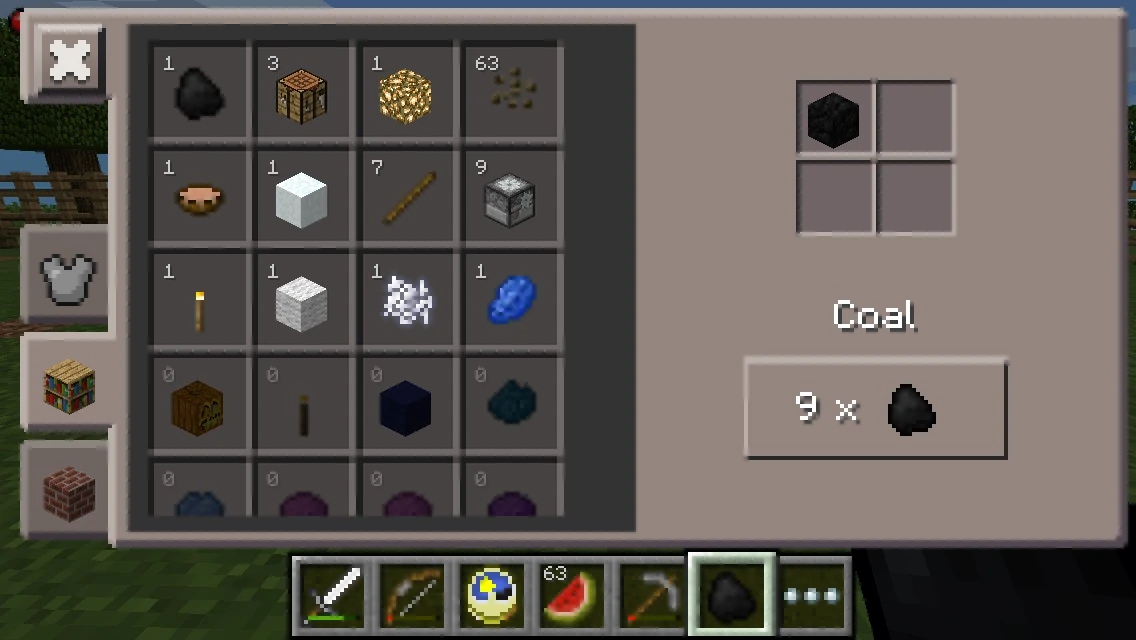

Pocket Edition MATTIS crafting screen, with 2×2 grid
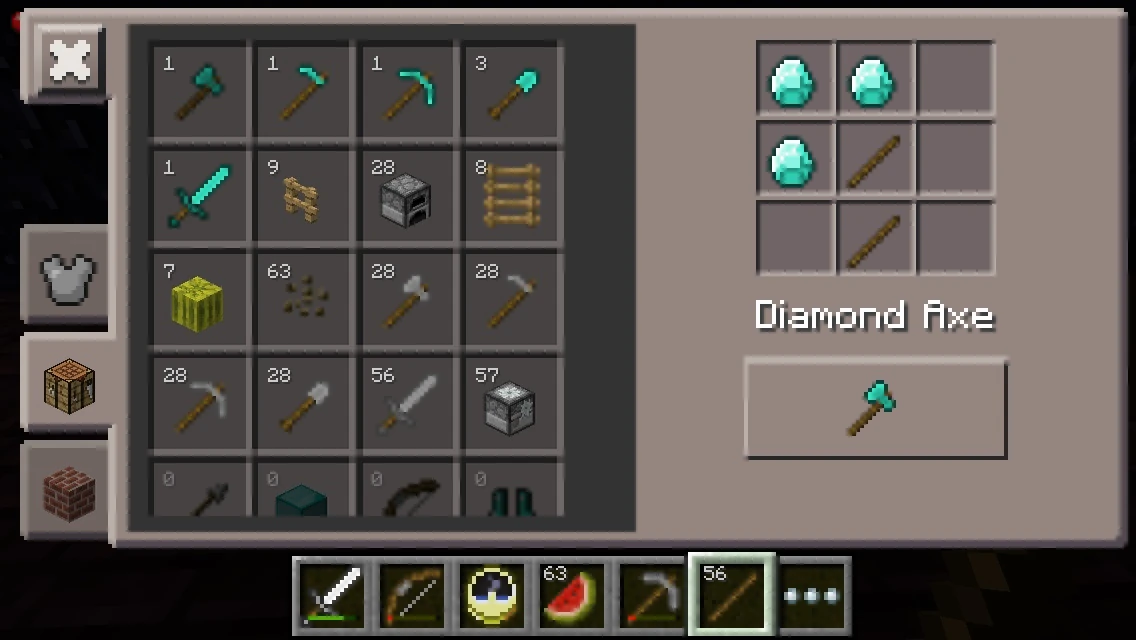

Pocket Edition MATTIS crafting screen, with 3×3 grid
In Minecraft Pocket Edition, crafting is somewhat different and uses the Minecraft Advanced Touch Technology Interface System, also known as "MATTIS" crafting system. Although it displays the 2×2 and 3×3 grids, the items already appear in the correct slots. In the middle of the screen, there is a list that shows items that can be crafted with the items in the player's inventory. Items that can be crafted are prioritized and shown first. If the player has some but not all ingredients to craft an item, those show up after those that can be crafted and are shaded. In each slot, there is a number denoting how many times the player can craft that item with the current materials.
The right side of the screen shows the grid with the items already placed for the selected item. Below the grid is the name of the item currently selected and a button used to craft, showing the quantity of the item given when crafted. If there isn't a sufficient amount of ingredients to craft an item, the missing ingredients appear shaded on the grid. When one taps on an ingredient within the grid, the name of that ingredient appears above the hotbar.
To the left of the crafting grid are different tabs. The different tabs show different things that can be crafted. The Armor tab (Iron Chestplate icon) shows different types armor you can wear. The Crafting (Crafting Table icon) tab shows things you can craft that are tools or other misc. things that don't fit anywhere else. The Inventory tab (Chest icon) shows the player's inventory.
The player has the option to use a crafting table to give him/her many more choices. When the player taps the crafting table, the MATTIS pops up with crafting options.
There is an option to use the PC crafting from Windows 10 Edition (as well as all other UI's from Windows 10). To use it, open the advanced video settings under the video settings tab, then select UI Profile. Then you should select the "classic" UI.The crafting system can be changed to use the system from the computer edition for all recipes by checking the "Classic Crafting" option under "User Interface" in the options menu.
Pressing  or
or  opens the 2×2 crafting menu, or the 3×3 crafting menu when looking at a Crafting Table. The Armor tab is missing in the 2×2 as crafting any armor requires the use of a 3×3 crafting grid.
Complete recipe list[]
To save space, some recipes are animated (requires JavaScript). Shapeless recipes are marked with a pair of intertwined arrows on the crafting table graphic, and fixed recipes with an exclamation mark.
| Normal Recipes | Shapeless Recipes | Fixed Recipes |
|---|---|---|
Dye[]
Dyeing wool and mobs[]
Players can dye wool by placing white wool and a dye in a crafting grid.
| Ingredients | Crafting recipe |
|---|---|
| Matching Colored Dye + White Wool |
Dyes can be used on sheep to change the color of the wool. After shearing a colored sheep, they will drop the corresponding color of the wool, as well keep the color of their wool when it regenerates. Breeding colored sheep will result the baby sheep's color to be one of the parental sheep's color, or a resulting color of the combination of both parental sheep's color. Note that the color combining follows the same rules that dyes use – red and yellow sheep will produce an orange lamb, but a blue and yellow sheep cannot create a green lamb. The unlimited reproduction of colored sheep makes dyeing and shearing sheep infinitely more efficient than just dyeing wool directly.
Dye can also be used on tamed wolves. Using a dye on a tamed wolf will change the color of the wolf's collar (red by default) to the color of the dye.
Dye can also be used on shulkers
Leather armor can be dyed by:
- Crafting dyes with a piece of leather armor
- Dousing the leather armor or leather horse armor in a cauldron to which dyes have been added
- Combining the dye with a piece of leather armor in the inventory
There are a possible combination of 12,326,391 colors, as it is possible to put more than one dye on the crafting bench alongside the leather armor. Armor can be dyed multiple times with previous colors affecting the final outcome. Colored armor can be reverted to their original color using a cauldron with undyed water.