View at: Template:Minecraft Dungeons/content [edit]
Minecraft Dungeons:Controls - minecraft.fandom.com
Jump to navigation
Jump to search
Treść tej podstrony pochodzi z artykułu „Minecraft Dungeons:Controls” w domenie minecraft.fandom.com na licencji CC BY-NC-SA 3.0
This article needs cleanup to comply with the style guide. [discuss]

This page would benefit from the addition of more images.
Please remove this notice once you've added suitable images to the article.
The specific instructions are: Add to the gallery at the bottom of the page (under the table in the Controller section) screenshots of the in-game controller diagrams from the PlayStation 4 version of the game (accessed at Settings -> View Controls). Also needs the new mobile controls for Xbox Cloud Gaming.
The specific instructions are: Add to the gallery at the bottom of the page (under the table in the Controller section) screenshots of the in-game controller diagrams from the PlayStation 4 version of the game (accessed at Settings -> View Controls). Also needs the new mobile controls for Xbox Cloud Gaming.
These controls are the defaults, you can change them.
Keyboard & Mouse[]
| Default | Left-Handed | Function |
|---|---|---|
| Combat | ||
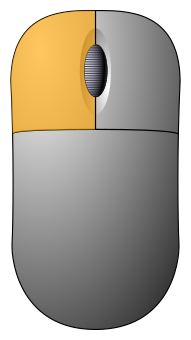
|
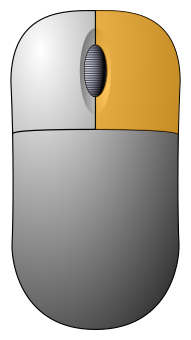
|
Move / Melee Attack / Interact |
|
|
|
Ranged Attack[1] |
| 1 | 8 | Use Item No. 1 |
| 2 | 9 | Use Item No. 2 |
| 3 | 0 | Use Item No. 3 |
| E | H | Heal |
| Left ⇧ Shift | Right ⇧ Shift | Root Player / Elytra Dive |
| Space bar | Forward Roll | |
| Thumb Mouse Button | Directional Roll | |
| Online | ||
| F1 | F9 | Teleport |
| F2 | F6 | Teleport to Friend 1 |
| F3 | F7 | Teleport to Friend 2 |
| F4 | F8 | Teleport to Friend 3 |
| T | Chat Wheel | |
| Other | ||
| Esc | Pause Menu | |
| F | Friends Menu | |
| M | Full Map | |
| Tab ↹ | ` | Map Overlay |
| I | Open Inventory | |
| F5 | Show/Hide Modifiers | |
| V | Emote | |
| Chat | ||
| R | Come Here! | |
| K | Thanks | |
| N | OK! | |
| Y | Need arrows | |
| U | Wait | |
| Z | Need Health | |
| Q | No | |
| W | Supplies here! | |
Controller[]
| Default | Function | ||||||
|---|---|---|---|---|---|---|---|
  
|

|

|

| ||||

|

|
Full controls | Horizontal Joy-Con | 
|

| ||
| Combat | |||||||

|

|

|
/
|

|

|

|
Move / Aim |

|

|

|
 / /
|

|

|

|
Melee Attack / Interact / Elytra Dive |

|

|

|

|

|

|

|
Ranged Attack[1] |

|

|

|
 / /
|

|

|

|
Use Item No. 1 |

|

|
|
 / /
|

|

|

|
Use Item No. 2 |

|

|
|
 / /
|

|

|

|
Use Item No. 3 |

|
|

|

|

|

|

|
Heal |

|
|

|
/ (click)
|

|

|

|
Forward Roll |

|

|
|
N/A | 
|

|

|
Directional Roll |
| Online | |||||||

|
|
(click)
|
N/A |
|

|

|
Teleport |

|

|

|

|

|

|
Chat Wheel | |
| Other | |||||||

|

|

|
Quick Actions Menu (see below) |

|

|

|
Pause Menu |

|

|

|

|

|

|
Friends Menu | |

|

|
/
|

|

|

|
Open Map[a] | |

|

|
/
|

|

|

|
Open Inventory | |

|

|
/
|

|

|

|
Emote | |
| N/A | /
|
N/A | Quick Actions Menu | ||||
- ↑ Press once to toggle "Map Overlay". Press and hold to open "Full Map". "Map Overlay" is not toggleable when using a single Joy-Con.
-
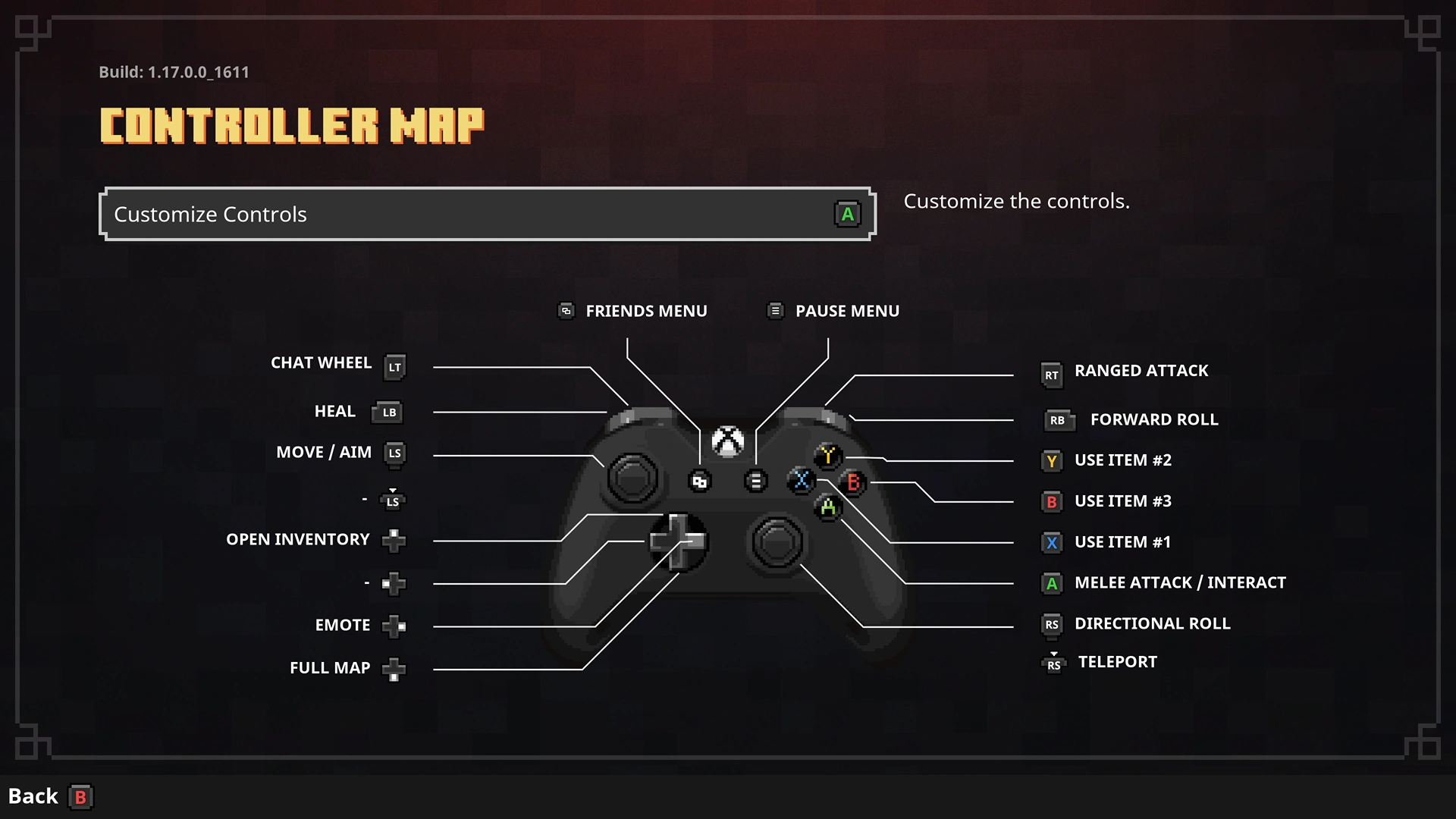
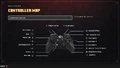 Default Xbox Wireless Controller diagram.
 -
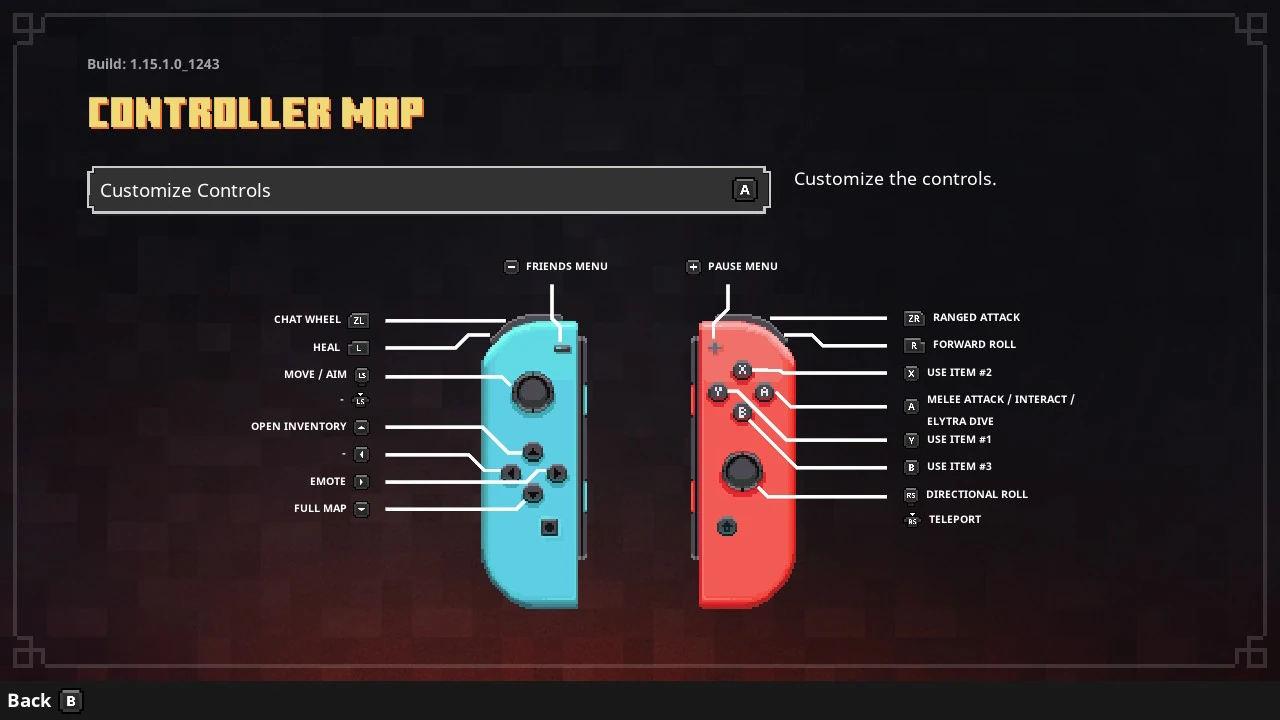
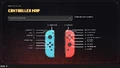 Default Nintendo Switch full controller diagram.
 -
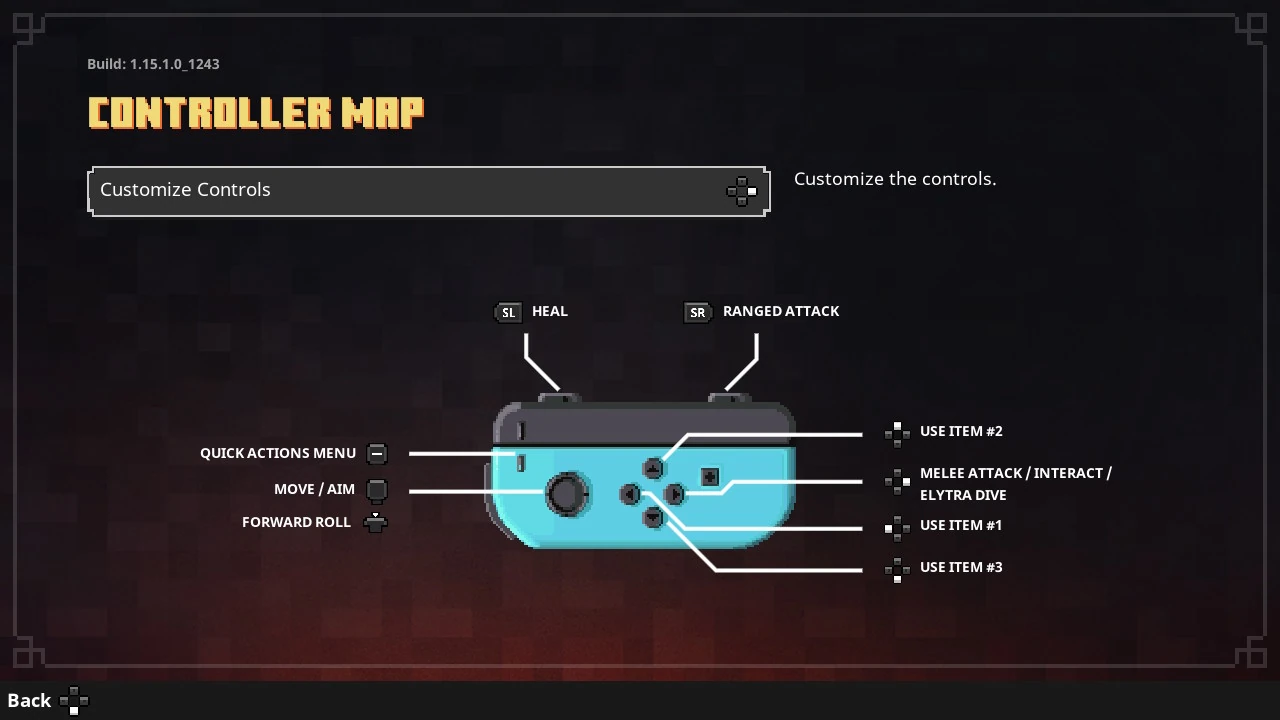
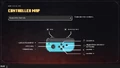 Default Joy-Con (L) controller diagram.
 -
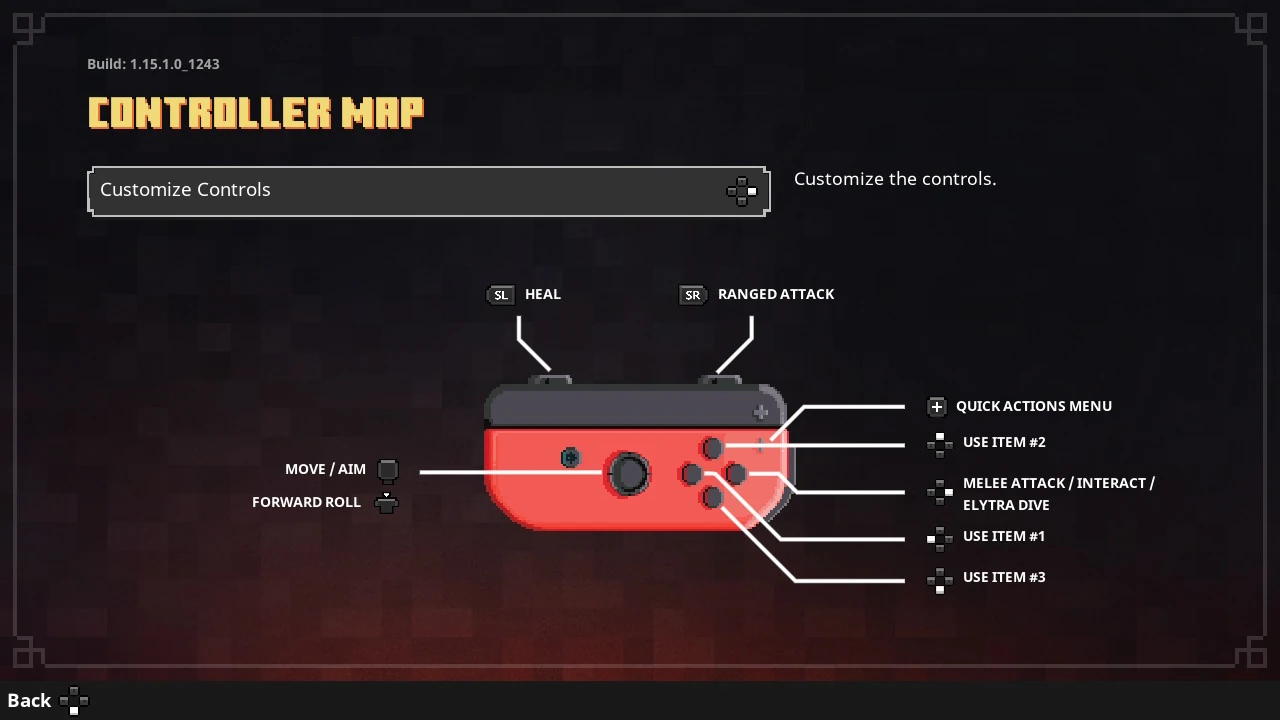
 Default Joy-Con (R) controller diagram.