
Water/History - minecraft.fandom.com

The specific instructions are:
To render:
- Pocket 1.0.0 Alpha 1.0.0.0 - "When viewed through glass, water now appears as a solid blue color, as opposed to a downward flowing water texture." (and Bedrock revert).
- Bedrock - "When viewed through glass, water now appears as its own top texture, as opposed to a downward flowing water texture."
- Playstation 4 1.78 - "The animation of water is now less smooth."
- JE 1.16 pre-release 5 - "Water overlay has been changed into a darker shade."
Water "items"[]
- The following content is transcluded from Technical blocks/Water.
| Java Edition Classic | |||||
|---|---|---|---|---|---|
| 0.0.12a | Flowing water can be obtained via inventory editors with numeric item ID 8. | ||||
| Still water can be obtained via inventory editors with numeric item ID 9. | |||||
| 0.24_SURVIVAL_TEST | Water can be obtained as an item by having a creeper explode near it. | ||||
| 0.24_SURVIVAL_TEST_03 | Explosions no longer drop water as an item. | ||||
| Java Edition Infdev | |||||
| ? | Changed the texture of Water blocks in the inventory. | ||||
| Java Edition Beta | |||||
| 1.6 | Test Build 3 | Water items can be obtained from the newly added debug chests, mainly from the 8th slot of the 1st chest from the left, and the 19th slot of the 4th chest from the left. | |||
| Flowing water items can be obtained from the newly added debug chests, mainly from the 9th slot of the 1st chest from the left, and the 20th slot of the 4th chest from the left. | |||||
| release | Debug chests no longer spawn, preventing water and flowing water items from being obtained this way. | ||||
| Java Edition | |||||
| 1.3.1 | 12w16a | Water items can now be obtained in singleplayer worlds via the /give command using the respective numeric IDs. | |||
| 1.8 | 14w25a | The direct item forms of water and flowing water have been removed from the game. They can no longer exist as items in any way, only as placed blocks. | |||
| Pocket Edition Alpha | |||||
| ? | Water exists as an item. | ||||
| Bedrock Edition | |||||
| ? | Water can now be obtained as an item through breaking surrounding blocks in a certain way,[1] notably underwater plants.[2] | ||||
| Legacy Console Edition | |||||
| ? | Water exists as an item. | ||||
| ? | Water can be obtained in the Creative inventory by using pick block on seagrass at the same time as breaking it.[3][4] | ||||
Appearances[]
| Unknown | |||||
|---|---|---|---|---|---|
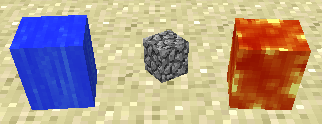
| ? |  Water appears like this in the inventory. It appears about two pixels offset downwards compared to other cube items. Water appears like this in the inventory. It appears about two pixels offset downwards compared to other cube items. | ||||
| ? |  | ||||
| Java Edition Infdev | |||||
| 20100607 |  A texture bug in this version results in water items containing some parts of the lava texture. A texture bug in this version results in water items containing some parts of the lava texture. | ||||
| 20100608 | Water items are now fully water again. | ||||
| 20100611 |  All 3D rendered items, which currently includes water, now appear shaded slightly darker in the inventory. All 3D rendered items, which currently includes water, now appear shaded slightly darker in the inventory. | ||||
| 20100615 |  Water items are now completely flat. Water items are now completely flat. | ||||
| Java Edition | |||||
| 1.5 | 13w02a |  Water items now use the still water texture likely due to texture storage reforms. Water items now use the still water texture likely due to texture storage reforms. | |||
| 1.7.2 | 13w42a |  Water items now appear translucent in the inventory. As a dropped item, in a player's hand, or in an item frame, they still appear opaque. Water items now appear translucent in the inventory. As a dropped item, in a player's hand, or in an item frame, they still appear opaque. | |||
| 1.8 | 14w02a | Water items now appear translucent when held, in both first person and third person. | |||
| 14w05a | Water items now appear translucent when dropped or in an item frame. | ||||
| Bedrock Edition | |||||
| ? |  Water appears like this in the inventory. Water appears like this in the inventory. | ||||
| ? | The item only appears animated when in the inventory or hotbar. When dropped, held or in an item frame, it appears completely stationary. | ||||
| ? | When held, the item uses the whole 32x32 flowing texture rather than the usual 16x16 section of it. | ||||
| 1.4.0 | ? |  Due to water now receiving extensive biome tints, it appears gray in the inventory. Due to water now receiving extensive biome tints, it appears gray in the inventory. | |||
| ? |  Water now appears tinted as an item. When held or dropped, it still appears gray. Water now appears tinted as an item. When held or dropped, it still appears gray. | ||||
| ? | Water no longer appears at twice the usual resolution in the player's hand. | ||||
| Legacy Console Edition | |||||
| ? | Water exists as an item, using the old generated texture, however it appears as though it may be translucent in the inventory (but not when held).[5] | ||||
| ? |  It appears 3D in the inventory, and is now translucent when held. It appears 3D in the inventory, and is now translucent when held. | ||||
Names[]
Still Water[]
Item names did not exist prior to Beta 1.0.
- Beta 1.0 - 14w21b: Water
- (As block name, item does not exist) 14w25a and onwards:
Water - The blocks flowing and stationary water has been removed and water block has become generic. Generic water block's resource location is
minecraft:water.
- ? - ?: Water[6]
Flowing Water[]
Item names did not exist prior to Beta 1.0.
- Beta 1.0 - 14w21b: Water
- (As block name, item does not exist) 14w25a and onwards:
Water
- ? - ?: Water[7]
Texture generation prior to Java Edition 13w02a and Bedrock Edition v0.14.2[]
Still water[]
Adapted from https://github.com/UnknownShadow200/ClassiCube/wiki/MInecraft-Classic-lava-animation-algorithm#water
Every frame, for each position in the still water texture array, the respective values for soup_heat, pot_heat and flame_heat are calculated as detailed below:
Calculates a local_soup_heat equal to the sum of the 3x1 soup_heat neighborhood around the current element.Calculates the new soup_heat as the sum of the local_soup_heat divided by 3.3F plus the pot_heat times 0.8FCalculates the new pot_heat as the current pot_heat plus the flame_heat times 0.05. pot_heat is clamped to a minimum of 0.Calculates the new flame_heat as the current flame_heat minus 0.1F.However, there is a 0.05 in 1 random chance that flame_heat is set to 0.5.
Once the above arrays have been updated, for each pixel in the water texture, the color and alpha values are calculated based on soup_heat:
Calculates a color_heat as the soup_heat clamped between 0 and 1 inclusive.Then it calculates the color components of the pixel as follows:float red = 32 + color_heat^2 * 32float green = 50 + color_heat^2 * 64float blue = 255float alpha = 146 + color_heat^2 * 50
The red, green and blue values are then converted to bytes and assigned to the texture accordingly.
Flowing water[]
In addition, the flowing water texture also uses a spatial translation to give the appearance of movement. This transformation moves the flowing water texture downwards by one pixel after a fixed amount of time,[more information needed] wrapping the bottom layer of the texture back to the top.